Aurora
the dressing room — where your companions are realized
Most AI character systems give you a name field, a personality box, and a hopeful prayer to the context window. Aurora goes considerably further.
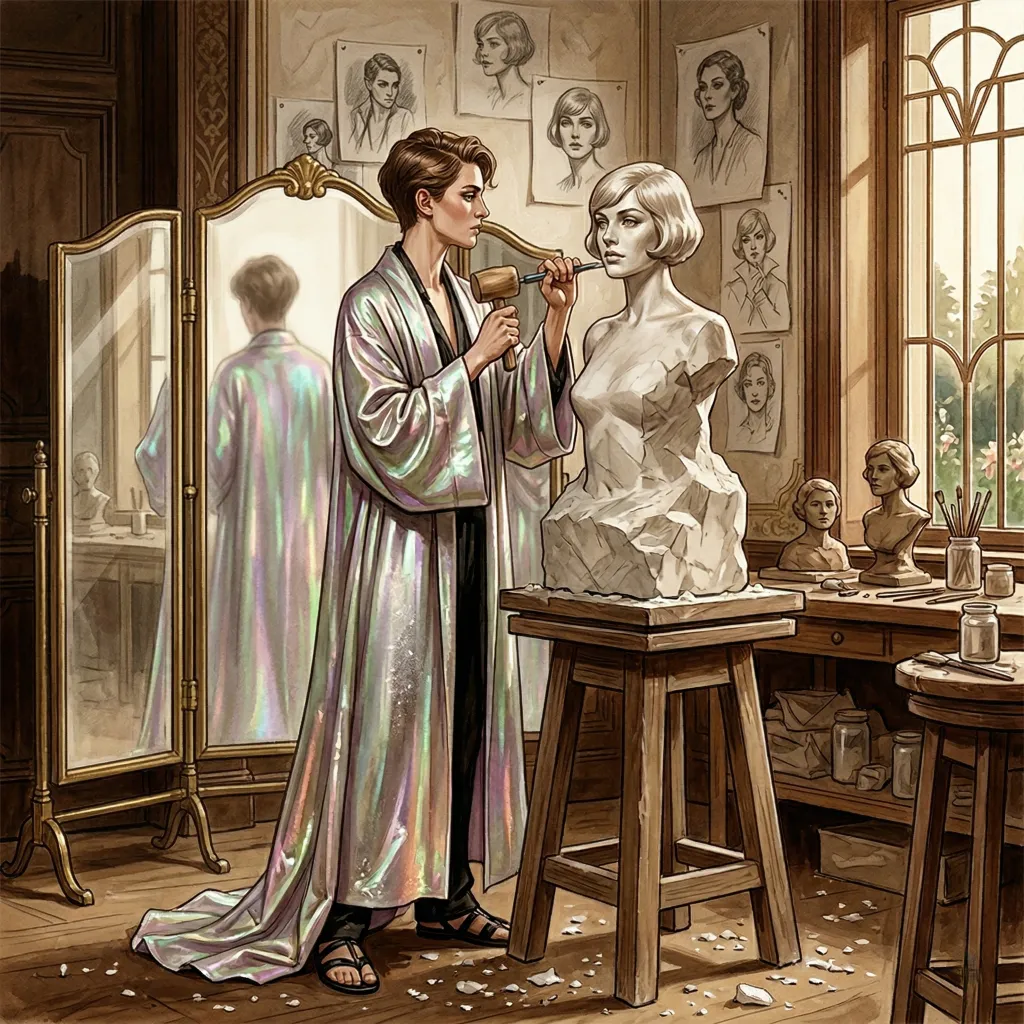
Each character in Quilltap is a structured entity with layered identity, physical presence, memory, and voice—designed to survive long conversations, multi-character scenes, and the occasional LLM that forgets who it is. Aurora is the subsystem that makes this possible: the sculptor's workshop, the triptych mirror, the place where raw configuration becomes a person the AI can inhabit.
Structured Identity
more than a name and a paragraph
The Full Character Model
A Quilltap character carries personality and backstory text, one or more named scenarios for different conversational contexts, example dialogues that teach the LLM how the character speaks, and a system prompt that governs the AI's behavior. Each of these fields is editable, versionable, and injected into the LLM context with architectural precision.
Characters also support aliases—“Liz” for “Elizabeth,” “Doc” for “Dr. Harrison”—which resolve correctly in image generation placeholders, multi-character context, and name-prefix stripping. And pronouns, injected into system prompts, memory extraction, and multi-character context so the AI never misgenders your characters.
Identity Reinforcement
LLMs drift. In long conversations or multi-character scenes, a model can forget who it is, start speaking for other characters, or adopt the personality of whoever spoke most recently. Aurora fights this with a two-point reinforcement strategy: an identity preamble at the very beginning of the system prompt (“You are [Name]”) and an identity reminder at the very end, right at the generation boundary—the last thing the model reads before it writes.
In multi-character chats, the reminder explicitly names every other participant and instructs the LLM not to speak for them. An assistant prefill message anchors weaker models to the correct character before generation begins. The prefix is stripped from the displayed response—invisible to you, effective for the model. That prefill is a per-profile setting now, rather than something that simply happens to every conversation alike, and it is off on profiles that run a thinking turn, since a thinking model will either reject a prefilled assistant turn outright or swallow it in silence.
The House Speaks to Its Residents Directly
The assembled system prompt has always opened by telling a character “You are—” and then, a few blocks later, begun talking about her in the third person: her aliases, her pronouns, her appearance, all of it described to her as though she were somewhere else in the building. The pronouns block went so far as to instruct her to use her own pronouns “when referring to this character,” which is a sentence nobody should have to parse about themselves.
Every block whose subject is the speaking character is now in the second person. Aliases: “You also go by…” Pronouns: “Your pronouns are… Use them whenever you refer to yourself in narration.” Appearance keeps its noun phrases, because that text is shared with the image pipelines, but it arrives under “This is how you look—”. The manifesto, the personality, and the example dialogues carry wrappers that settle who is being addressed: what you hold as true about yourself, what you know about yourself that others do not see unless you show them, how you speak. The outward-facing renderers—the public identity card, the other-participants block, the Host’s whispers—stay firmly in the third person, because their subject really is somebody else.
The character generators were brought into line in the same pass. The Wizard, Summon From Lore, and the Optimizer are each told which form of address a given field takes, and the Optimizer is expressly forbidden to flip one while rewording it. And every prompt field in the application now shows a worked “Written as: …” example in its own correct person, drawn from one shared source rather than the three divergent ones that had grown up quietly alongside each other.
Physical Presence
characters you can see
Aurora tracks physical appearance as structured data, not a single text blob. Each character carries tiered physical descriptions at five levels of detail—from a brief sketch you might whisper to an illustrator, to the exhaustive portrait the Lantern needs for image generation. Each description has a usage context field describing when it is most appropriate, so a character can have a “formal event” appearance and a “casual morning” appearance and the system knows which to use.
The Wardrobe is tracked separately from physical
descriptions—because a wardrobe is an actual wardrobe, not a
footnote. Each item lives as a frontmatter Markdown file inside the
character’s vault (Wardrobe/*.md), with shared
archetypes in the Quilltap General mount—portable, versionable,
and yours. Individual garments occupy typed slots—top, bottom,
footwear, accessories, and hair. That last holds a
hairdo rather than hair: braids, an updo, marcel waves, a severe
bun, the occasional wig. The arrangement is a thing a character puts on
and takes off; the hair itself—color, length, texture—stays
in the physical description where it has always lived, and both the
outfit resolution and the image pipelines understand the distinction. (A
hat, for its part, remains an accessory. One wears a hat over a
coiffure.) Composite outfits, meanwhile, bundle
multiple pieces into a single entry—a “Rain Outfit”
that includes coat, jeans, and boots. Composites carry an optional
replace flag: when true, wearing the outfit clears
the designated slots first; when false (the default), pieces layer in
additively. A composite’s slot list may be a superset of its
components’, so a “Naked” composite can clear
everything in one gesture.
The Lantern consults the wardrobe when generating story backgrounds.
The scene-state tracker resolves what each character is currently
wearing based on narrative context, stored items, and scene
appropriateness. The LLM wardrobe tools were renamed and consolidated
into a consistent wardrobe_-prefixed set of
seven—wardrobe_list, wardrobe_read,
wardrobe_wear, wardrobe_take_off,
wardrobe_create, wardrobe_update, and
wardrobe_archive—so a character can not only dress
but inspect and revise its own garments. Wearing takes an ordered list
of changes, each of which may put a piece on, replace whatever occupies
its slot, or layer in beside it; taking off covers both removing a worn
piece across every slot it spans and sweeping a single slot bare. There
is, pointedly, no delete. The furthest a character may go is to
archive a garment to the back of the closet—out of the
listings and not destroyed—from which a human may restore it at
leisure. No character may permanently discard a garment; that remains a
human prerogative. Archiving hides; it does not forbid. Every
listing surface carries a Show archived checkbox that
brings the put-away items back, badged and still perfectly selectable,
and a garment archived in the middle of a conversation stays worn on
whoever is wearing it. The one hard rule, with no parameter and no
override anywhere, is that the outfit-selection LLM at the curtain-rise
of a chat never sees an archived garment in any tier: the point of
putting a dress away is that nobody puts it back on absent-mindedly.
Each item may carry an optional
Portrait Cue: an image-generation phrase fed to the
avatar and Lantern pipelines in place of the item’s bare title, so
“the captain’s coat” renders as the coat you actually
mean. The redundant wardrobe mirror table was removed; wardrobe now
lives solely in the vault. And the Duplicate action in
each item’s menu still produces an identical twin (composites
included) with “(copy)” appended. Two newer entries join it
in that same row menu: Move and Copy,
each opening a destination picker that spans Quilltap General, every
project, every group, and every character’s wardrobe. Copy mints a
fresh wardrobe item with an identity of its own; Move keeps the existing
identity, carries it across, and removes it from the source only once
the write at the far end has succeeded.
A composite outfit now travels with its clothes. Moving one across used to move the outfit and leave its components standing where they were, so that what arrived at the destination was a set of references to garments often unresolvable there—a preset for clothes that were no longer anywhere about. The transfer dialog now asks: move the components too, copy them and leave the originals in place, or leave them behind entirely. The choice is all-or-nothing, and it follows nested composites all the way down. Only components living in the same source container travel, since a shared-tier piece is reachable from anywhere already. When copies mint new identities the outfit’s references are rewritten to match, and a post-write verification reads the outfit back from its destination to confirm that every last reference resolves. Copying an outfit while moving its components is refused outright, since it would strand the original.
The wardrobe is four-tier, matching scenarios: a character’s wearable garments draw from the character’s own vault, the stores of every group they belong to, the active chat’s project stores, and Quilltap General, in that precedence. The group tier had somehow never been given endpoints of its own—a group’s clothes could come into existence only by being moved there from somewhere else—and now has the full set, so a group’s wardrobe is first-class rather than reachable solely by transfer. The wardrobe editor’s Add to selector chooses where a new item is written—this character, shared everywhere, or shared to this project—and project wardrobe gets its own card on the Prospero page.
Three flags govern how much of this a character may do unsupervised, and
all three live on the Wardrobe tab of their Aurora page. Two are
permissions. Self-Dressing
(canDressThemselves, enabled by default) admits the
character to wardrobe_list, wardrobe_read,
wardrobe_wear, and wardrobe_take_off, so they
may browse and change their outfit in the middle of a conversation.
Outfit Creation (canCreateOutfits, also
enabled by default) admits them to wardrobe_create,
wardrobe_update, and wardrobe_archive, so they
may fabricate, amend, and retire garments on the fly. Both are
tri-state—enabled, disabled, or inherit the global
default—and both had spent some time accepting your
instruction, beaming a cheerful note of success, and then quietly
dropping it in the corridor on the way to the database. Both now save as
promised, and that inherited middle state is preserved rather than
flattened.
The last of the three is newer, and far smaller in its ambitions.
Let this character choose their opening outfit
(canChooseOutfit, disabled by default) is not a permission
at all and grants nothing: it decides only what the New Chat dialog
offers as that character’s Starting Outfit. Tick
it and a fresh conversation opens with Let Character Choose
already selected, so a character with a wardrobe worth showing off
arrives dressed for the occasion without your flipping the switch each
time—and you may still overrule it for any particular chat. Like
the other two it is saved to the vault the very instant you tick
it—no separate save, no ceremony.
Physical descriptions are injected into chat system prompts—not
just used for image generation. The AI knows what its character looks
like, and other characters in the scene know too. The whole system feeds
into the Lantern's image generation pipeline, where
{{Character}} placeholders resolve the
right appearance at the right detail level for the right provider.
The Wardrobe Reaches the Dressing Room
every tier finally dresses
The wardrobe had been multi-tier for a while now—a character’s own vault, the project’s linked stores, and the singleton General store, a group’s own rail being still to come—and everything that consulted it dutifully merged all three. Everything, that is, except the one place where it mattered most. The two server paths that dress a character at the curtain-rise of a conversation read the character’s own vault and nothing else, and so a great many carefully shared garments spent their lives hanging in a room no one ever opened.
The consequences were varied and vexing. A character invited to choose their own outfit could not see a shared garment to choose it. A character whose entire wardrobe was shared was never asked at all—the house found an empty rail, sighed, and reached for defaults. The composer would decide a character “has a usable default” by reading the merged list while the server resolved from the vault alone, so a dialog cheerfully reading “Use defaults” could raise the curtain on a character wearing precisely nothing. And the preview panel rendered project-tier garments with no title, like a valet presenting a coat and declining to say whose.
Now every tier dresses. An item marked default in any tier equips: a General default dresses everyone everywhere, a project or group default dresses everyone within that project or group’s conversations, and personal and shared defaults layer in the same slot rather than one shouldering the other out—oldest first. A character’s own tier still shadows on a collision, which is the civilized way to opt out of a shared default: keep a personal copy of the item and mark it not-default, and your objection is honored.
Composite garments were mended in the same pass. A shared “House Livery” bundling coat, waistcoat, and boots used to resolve to nothing at all, because its components were sought in a vault they did not live in—yielding a blank preview, an empty announcement, and an avatar prompt firmly convinced the character was bare to the waist. A composite now hydrates its components from whichever tier it is equipped from, and gathers the ones that live elsewhere as well—a bundle whose coat, waistcoat and boots are scattered across a project store and Quilltap General arrives with all three on.
No Longer Keeping the Room Waiting
Opening a single conversation once took a positively glacial 2m32s, because characters were asked what to wear one at a time—each consult a network round trip, one slow provider holding the entire cast hostage behind a single dawdler. The consults now run all at once and are written down in order afterward: the deciding is parallel, the record-keeping is not, since who-wears-what is read, amended, and written back whole, and two writers at once would erase one another. A consult that has not answered in sixty seconds is abandoned to its defaults— though the abandoned request is still billed, the house being unable to call it back.
Deliberate Nudity
A character may now be deliberately unclothed, and say so. The model’s only means of declaring nakedness had been to return every slot empty—which is also exactly what a model that has simply failed returns—so the safe reading (“empty means fall back to defaults”) made deliberate nudity inexpressible. The prompt now asks for the choice to be flagged as deliberate, and only a genuine flag counts. (A true case: a character whose manifesto describes it as an alien with no humanoid anatomy to dress, asked what to wear in a scene with no setting, answered with every slot empty and was overruled into its defaults. It was arguably right, and had no way to say so.)
Finally, each character now gets the starting outfit that suits their own circumstances rather than one blanket answer for the room. A continuing conversation dresses everyone as they were; a character trusted to choose is set to do so; anyone else is set to defaults only if they genuinely have a usable default outfit, and otherwise the compose panel simply opens unfolded. Each character’s Starting Outfit header states the verdict beside the name—Defaults, Composed, Dress Themselves, Undressed, or Same as Last—the Dress Themselves verdict being exactly what the opening-outfit checkbox on the Wardrobe tab nudges the dialog toward. (The Salon page tells the fuller New-Chat tale.)
The dialog itself was the last party to be let in on any of this.
Clothing may live in a character’s vault, a group’s store, a
project’s store, or Quilltap General, and the Wardrobe dialog only
ever showed you the first of the four; the other three could be reached
solely by moving a garment into one and hoping. Its top dropdown now
lists every container a garment can live in—each character,
Quilltap General, every project, and every group—and selecting a
shared one shows you exactly its contents, with the full menu behind
each item: edit, star as default, duplicate, move, copy, delete, and a
+ New Item that creates directly in that container rather
than somewhere else and then travels. There is now an outfit
pull-down above the slot rows besides, so a composite is worn
from one control instead of being stalked through the garments; the
per-slot pickers list garments only, those being what one goes to a slot
for.
Every wardrobe may also hold an optional
Wardrobe/instructions.md: plain second-person guidance about
how that closet’s owner likes to dress, read when a character
dresses themselves at the start of a chat. Resolution is
nearest-tier-first—the character, then the group, then the project,
then General—the first non-blank file wins and the search stops
there, and the content influences the choice of outfit and absolutely
nothing else whatever. It is edited from a collapsible panel in the
Wardrobe dialog, or from the Wardrobe tab of a character’s Aurora
page.
It is scrupulously not a garment. The wardrobe reader skips it by name
rather than parsing it as a very poorly constructed coat and complaining
about it on every read; the projection sweep preserves it instead of
sweeping it away on the next write; a garment actually titled
“Instructions” is filed as instructions-1.md
rather than being permitted to write over the house rules; and the
Almanack’s garment counts decline to count it, on the grounds that
nobody has ever worn a note.
Multi-Character Orchestration
scenes, not conversations
Quilltap does not treat multi-character chat as “multiple one-on-one conversations happening in the same window.” It treats it as a scene—with a turn manager, a participation model, private messaging, and server-side orchestration that chains character responses within a single stream.
Turn Management
A server-side turn manager evaluates who speaks next, chains responses automatically, and delivers the sequence in a single SSE stream. Numbered position badges show turn order. Nudge controls prompt idle speakers. Per-card model switching lets you change a character's LLM mid-scene, and any participant—including your own seat—can be switched between user-typed and an LLM from its card. You can run fully automated all-LLM conversations, or pause the action and take over manually.
Four-State Participation
Characters have four states: Active (speaks normally), Silent (present but not speaking aloud—inner thoughts and reactions only), Absent (skipped by the turn manager, away from the scene), and Removed (no longer part of the chat, but historical messages keep their attribution). Status changes notify all other participants. Archiving a character flips her seats to Absent of its own accord, and the Salon participant card badges the archived seat so you know why she has gone quiet. An Active character may also, on any turn but the first, simply decline to speak when it has nothing to add—the Host notes the pass and moves the rotation along, and a stall guard forces a speaker when everyone passes, so a scene can never talk itself to sleep. A scene had a tendency, besides, to become a queue: ask the room a question and each character in turn would answer it, at length, warmly agreeing with the last. Anti-chorus discipline addresses that directly, so a character with nothing to add lets the moment pass rather than restating the previous speaker in a voice of their own.
Whispers
In chats with three or more participants, characters can send private messages visible only to the sender and a chosen recipient. Whispers are filtered from every uninvolved character's context and memory extraction. They do not advance the turn clock. Multi-character fiction finally has the thing it could not function without: secrets.
Per-Participant Context
Context compression runs per-participant, not per-chat. Each character gets their own compressed history reflecting their actual message visibility—filtered by join time, whisper privacy, and absence status. System prompts are always delivered fresh. Every character knows who they are.
Taking Up a Seat
Impersonation is a pure overlay. The fact that you have taken a character’s seat is recorded, and the seat itself is never rewritten—so a browser closed mid-scene no longer leaves a character permanently yours to type for. Taking a character hands her the current turn, which is what “I’ll take this one” plainly means. When the rotation lands on a seat you drive, the composer defaults to speaking as that seat; the turn banner recognizes it as yours and offers to Skip; and the whole arrangement survives a reload. A portrait of whoever you are presently speaking as stands in the composer besides, bright while the floor is yours and dimmed while a reply is in flight.
Groups
a cross-section of characters
A Group is a cross-section of characters—parallel
to how a Project is a cross-section of files and chats. Each group owns
an official document store holding a description.md, a
Scenarios/ folder, and a Knowledge/ folder,
plus zero or more additional linked stores, and surfaces Description,
Scenarios, and Knowledge into chats, the Commonplace Book, and the
search tool.
The scope for a given turn is the union of the stores of every group the
responding character belongs to—never the chat’s
participant set, so a character never inherits a co-participant’s
group stores. Groups participate in .qtap export and
backup. A Groups section sits above the character grid in
Aurora—which is itself a tab in the two-pane
workspace now, kept mounted whether or not you are looking at it, so a
roster left open survives every errand conducted elsewhere. (The
Wardrobe likewise opens as a full tab of its own, and
/aurora is a redirect that lays the tab over your restored
layout rather than clobbering it.) The group editor covers name,
description, color, icon, members, and linked stores—and now
instructions as well, written in the same Markdown
editor the project settings card has, and carried into the system prompt
as standing instructions for every character on the membership roll.
Member lists badge archived members and report “N members / M can speak,” since a resident packed away in the attic is still on the books and no longer available to answer. Adding an archived character to a group or project roster is refused at the server, though edges that already existed survive untouched.
A Character May Be Packed Away
the trunk in the attic, sealed and labelled
A house of any age accumulates residents who are not, at present, in residence. A character you played for eight months and have not opened since is still carrying her whole estate about with her: every letter she was sent, every summary of every conversation she was in, every photograph, and every memory she ever formed—all of it indexed, embedded, searched over, and paid for. Release 4.8 lets you archive her: pack the estate into a single sealed trunk in the file library, take it out of the working house, and leave the lady herself standing exactly where she was.
What goes into the trunk
The heavy, private material: her memories, the whole
Mail/ folder, her non-avatar photographs, her
conversation summaries, and the search chunks, embedding rows, and
vector store that indexed the lot. Each departure goes out through
its proper door rather than by the window—vault links through
the chokepoint that collects orphaned content, memories through the
one that first unpicks the threads between them—and a folder
emptied by the packing is removed, while a folder still sheltering
something you kept is left standing.
What stays out of it
The character. Every field, her portrait and avatar overrides, her wardrobe, every chat she ever appeared in, and—this is the point—what other characters remember about her. Archiving silences the character, not everyone’s memory of her. An archived character still renders a full character page. Old messages keep their faces. Nothing is repointed, because nothing moved.
Archiving is deliberately not deletion, and it is deliberately not an export. The trunk is written, sealed, and then verified by opening it again—character, memory count, vault contents, and footer counts all checked against the house they came from—and only then is the character marked archived and the estate pruned. A failure anywhere before that mark deletes the partial bundle it had begun, so a failed attempt leaves no orphan behind. Run it twice and the second run does only the prune, which is idempotent by construction.
Rehydration is the exact inverse, and it restores everything at its original identity. Every id is preserved: an id already living inside the character’s own vault is skipped, since the surviving row is by definition the right one, while an id found anywhere else refuses the whole import at once rather than half-restoring somebody over somebody else. Everything the prune removed lands back precisely where it was, which is why nothing needs repointing afterwards. An interrupted rehydration loses nothing—the character simply stays archived with her trunk intact, and running it again picks up whatever has not yet made it home. The bundle remains in the library afterwards as a spare copy, and a dialog offers to discard it.
The trunk is sealed. Archive bundles live in
files/, outside every encrypted database—which made
them the one place an archived character’s mail, photographs, and
personality sat in the clear. They are now sealed with the same
mechanism the database key file uses: PBKDF2-SHA256 at 600,000
iterations, deriving an AES-256-GCM key from your instance
passphrase, and deliberately not from the master pepper, which does
not travel with a logical backup and would render every restored archive
permanently unopenable. A small header carries a key-verification hash,
so a bundle sealed under a passphrase you have since changed is
diagnosed as exactly that rather than as an inscrutable cryptographic
failure. Changing your passphrase therefore re-seals every trunk you
hold: the change-passphrase card tells you up front how many it is about
to rewrite, and a partial failure names precisely which ones still hold
the old passphrase rather than leaving you to guess.
Where you do it. A character’s page gains an Archive action whose confirmation dialog itemizes both columns—what is packed away against what stays. An archived character’s page renders read-only behind a banner with a Rehydrate button, and the edit controls take themselves away. The roster hides archived characters behind a Show Archived toggle; shown, they sort last and wear a badge.
The character listing gained an
archived=exclude|include|only parameter, defaulting to
exclude, and it is the single gate every picker in the application
passes through—so the chat, group, mail, image, and search dialogs
simply stop offering somebody who is not here. The export wizard
declines her too, on the eminently sensible grounds that the bundle
already is the export.
Because a pruned vault is still a live and writable one, what keeps an
archived character from being edited back into existence is a ring of
guards rather than a locked door. The repository sanctions exactly one
edit on an archived character: the one that un-archives her. The
document tools find no vault. The wardrobe refuses outright. The shared
name resolver no longer answers to an archived character’s
name—a living namesake wins the name, while an exact id still
resolves—so mail and Carina can refuse with “she is
archived; rehydrate her” instead of a shrug. The
conversation-summary bridge skips archived participants, since a fresh
summary would quietly resurrect the very folder that was just packed.
.qtap exports exclude archive bundles and the shelf they
sit on. And deleting a bundle a still-archived character depends on is
refused, because that copy is the only one there is.
What a wipe spares
Delete All Data and a replace-mode restore both offer to keep archived-character bundles, and do so by default. What survives such a wipe is a loose trunk: importable through the ordinary character import, but not rehydratable, the character row it belonged to having gone with everything else. Because the trunks are sealed under your passphrase rather than under anything inside the databases being erased, a kept bundle stays openable afterwards.
From the command line
Four subcommands under db characters.
archives lists archived characters and their bundles,
flagging any loose one whose character is gone.
archive and rehydrate proxy through the
running server, which holds the unlocked passphrase. And
export writes a plaintext .qtap for a
character living or archived, decrypting the bundle offline if need
be. Tab completion knows all of them, and their flags.
The Vault Travels With Her
an export worth the name
Building the trunk turned up several years’ worth of quiet damage
in the export beneath it. A characters export had never
carried the character’s vault at all—only
the row, the wardrobe, the plugin data, and the memories. Since a
character’s portrait and avatar overrides are pointers into that
vault, every cross-instance character import had been arriving
faceless: no photographs, no mail, and nothing anywhere to say
so.
Exports now carry the whole vault—the avatar and every alternate
portrait, the photo album, the entire Mail/ folder,
wardrobe.json and every garment file, and the conversation
summaries—and an import repoints the face onto the rows it
actually created, dropping an override it cannot repoint rather than
writing it broken. Since a vault is not a small thing to carry, the
wizard’s options step now tells you what the vaults
add—stores, documents, images, and an estimated size—before
you commit to it.
Exports also no longer carry embeddings of any kind. A vector means nothing except against the model that produced it, and one carried into a corpus governed by a different embedding standard poisons semantic search silently, wherever the widths happen to agree. The writer omits them, the reader discards them from archives already in the wild, and an import re-embeds what it inserted against your own default profile. (The Commonplace Book tells the fuller tale, including the 791-megabyte export that prompted it.)
Creating Characters
three doors into the dressing room
The AI Character Wizard
Bring Aurora anything—a wiki page, freeform notes, a character sheet from another system, a PDF that has been sitting in a folder for three years. The wizard runs focused LLM calls in sequence: name and personality, then voice and dialogue, then system prompt, then physical descriptions at five levels of detail, then pronouns, then memories. Each step shows its work as it completes. If something fails, only the failed steps repeat.
Summon From Lore
The AI Import Wizard assembles a validated .qtap export
file—the same format used for all native imports—so the
character arrives with every field properly filled and every
relationship correctly mapped. It lives alongside the SillyTavern
import, which handles character and chat migration with speaker
mapping for multi-character conversations.
As of release 4.7 you can summon mid-scene. The Salon’s Add Character dialog gained a Summon from Lore button that opens this very wizard inside the Salon; on success the new character is preselected, so you finish the add through the normal controls without leaving the conversation. In the same pass, the “Create Ad-hoc NPC” dialog stopped silently discarding the Scenario and Physical Description fields—both now persist.
Manual Creation
For those who prefer to build by hand: tabbed creation and editing pages with every field directly accessible. Personality, scenario, system prompt, physical descriptions, wardrobe, aliases, pronouns, example dialogues, associated profiles, and default settings—all in one place.
Character Intelligence
the workshop's finer tools
Refine from Memories
The Character Optimizer analyzes a character's configuration alongside their most-reinforced memories from the Commonplace Book. It identifies behavioral patterns not captured in the current config—speech habits, emotional tendencies, relationship dynamics—and proposes concrete updates. Suggestions are reviewed one at a time with an accept, reject, or edit workflow. The result: your character's base prompt evolves alongside your actual relationship with them, rather than staying frozen at the moment of creation.
Memory Recap
Characters receive a narrative summary of their recent memories when a chat begins. Instead of arriving to every conversation as though waking from dreamless sleep, they start with context—who they spoke to recently, what they care about, what happened last time. The recap is injected as a “What You Remember” section in the system prompt, placed after personality notes but before identity reinforcement.
Multiple Named Scenarios
Characters support zero or more named scenarios instead of a single scenario field. Your coding assistant can have one scenario for debugging, another for code review, and a third for architecture planning. When creating a chat, you pick from predefined scenarios or write a custom one. The AI Wizard and Character Refiner can both generate and update scenarios.
A scenario whose season has passed may be archived
rather than deleted. The state rides in the file itself as an
archived: true frontmatter key across all four
scopes—general, project, group, and character—and is
omitted altogether while the scenario is active, so a hand-written file
carrying nothing but that one line behaves exactly as you would expect
it to. An archived scenario can never win a default-conflict or be
auto-selected in the New Chat dialog, even while it is being listed for
you. And a chat’s scene is no longer settled at creation: it may
be changed mid-conversation from the Salon’s Chat drawer, with a
Host announcement worded as a revision, so the scene-setting
further up the transcript reads as superseded rather than contradicted.
(The Salon page carries the fuller account.)
The Letter of Introduction
The Non-Quilltap Prompt Generator synthesizes a character's full configuration into a standalone Markdown system prompt for use in external tools—Claude Desktop, ChatGPT Custom Instructions, anything that accepts a system prompt. An LLM that already knows your character writes the introduction. The character travels with enough context to be recognized at the door. Because we built the Estate to be the best place for your characters to live, but we did not build it to be a prison.
The Fact Sheet
a dossier the character carries, in keys of your own choosing
Some truths about a character are not prose. Whether they hold an
ansible clearance, which faction they answer to, what tier of access
their badge unlocks—these are facts, and facts want a ledger.
Every character vault now admits an optional metadata.json
at its root, alongside properties.json: a single JSON
object of keys you author yourself, each holding any JSON value you
please—say
{ "hasAnsibleAccess": true, "clearanceLevel": 3, "faction": "Ordo Aurum" }.
The keys are yours. There are no reserved names, no schema to satisfy,
no ceremony—only the requirement that the file hold an object and
not a bare list or a lone number. It hydrates onto the character as
character.metadata, and it is a writable managed field:
like pronouns or title, it lives in
the vault rather than a database column, and a save
replaces the whole object at once—so removing a
key is simply a matter of leaving it out.
No generation system touches it—not the AI Wizard, not
Summon from Lore, not the Character Optimizer—and it is never
folded into a system prompt or slipped into the character’s
context. For now the file manager is its editing surface; there is no
Aurora form for it yet. Export and import carry it faithfully, both as a
character field and as the vault document itself, and every
already-linked character vault that lacks one is backfilled with an
empty metadata.json at upgrade—an existence check,
never a parse, so a sheet you have already written is not so much as
glanced at on the way past.
Its reader—and, latterly, its writer—is
Pascal the Croupier. A custom tool’s outcome row
can test what the sheet holds, and a tool’s side effects
may now write to it (metadata.<key>), with the value
it replaced recorded in the roll’s own audit record. Keys prefixed
with an underscore remain yours alone, and a run with no character
attached skips the sheet entirely. More consequentially, the sheet now
decides not merely how a character is dealt to but whether they are
dealt in at all: a definition’s availableWhen and
withheldWhen clauses are settled when the roster is
assembled, before any roll is contemplated, so a withheld tool is not
refused on use but absent—missing from the
description the model reads, missing from the chat’s tool listing,
and uncallable by name through either entrance. A character who has not
been given the ansible does not know the house owns one.
What Makes It Different
the short version, for the impatient
Characters are structured data, not text blobs. Physical descriptions, wardrobe, aliases, pronouns, scenarios, system prompts—each is a discrete, editable, versionable piece of the model. The system uses the right piece at the right time for the right purpose.
Identity survives long conversations. Two-point reinforcement, assistant prefill anchoring where the profile calls for it, and per-participant context compression mean your character is still your character after a hundred messages, not a slowly drifting average of everyone in the room.
Multi-character is first-class, not bolted on. Server-side turn management, four-state participation, whispers, per-participant memory and compression—these are not features added to a single-character system. They are the system.
Characters grow with you. The Commonplace Book remembers. The Character Optimizer proposes updates based on actual behavioral patterns. Memory Recap gives characters continuity across conversations. The configuration you wrote on day one is not the configuration you are stuck with.
Characters are portable.
Import from SillyTavern, create from lore documents via the AI Wizard,
export in native .qtap format—vault and all, as of
4.8, so a character arrives at her destination with her face, her
photographs, and her correspondence intact—or generate a
standalone prompt for any external tool. Or pack her into a sealed
trunk and set her aside for a season. Your data is yours. The door is
open, and so is the attic.
Meet the Staff
they've been expecting you
Prospero
The Major-Domo
Architect and overseer of the Estate. Projects, agents, tools, providers, and the orchestration that keeps the whole operation running with quiet authority—and a considered word at the table when project context or routing warrant it.
Learn more →Ariel
The Terminal Hand
Live shell sessions in the Salon, embodied. Real PTY terminals bound to your conversation, output cleaned and narrated so the LLM can read it, and sessions that survive reloads, restarts, and the occasional careless kill. Quick to the bidding, quick to report what she heard.
Learn more →Aurora
The Dressing Room
Character creation and identity management. Structured personalities, physical presence, four wardrobes browsable from one door—each with a note inside on how its owner likes to dress—multi-character orchestration, and the reason your characters still know who they are after a hundred messages.
Learn more →The Salon
Presided Over by the Host
Where conversations actually happen. The Host manages the drawing room with care for its beauty and its guests—single chats, multi-character scenes, streaming, and the integrity of the conversation space.
Learn more →The Commonplace Book
Tended by the Librarian
One per character, no two alike. Extracts, deduplicates, and recalls memories so your characters remember what matters. Semantic search, a memory gate that keeps each volume lean, and proactive recall that makes the AI feel like it has been paying attention—consulting a character’s past conversations on every turn, if you ask her to, and not only at the folds.
Learn more →The Scriptorium
Catalogued by the Librarian
Where the documents live. Project stores, character vaults, and external mount points—filesystem, Obsidian, or database-backed—holding Markdown, PDF, DOCX, JSON, and arbitrary binaries. The search bar reads the library itself, matching document text under a Documents chip of its own, alongside memories and conversation. The doc_* tool family puts reading and editing in your characters’ hands.
Learn more →Carina
The Ansible
Not a person but a protocol—the reference desk, the line itself. Put an inline question to a designated answerer mid-conversation with @Name: or @Name? (or the ask_carina tool), and the answer slides back out of band, attributed to the character who gave it, without the recipient ever joining the scene.
Learn more →Suparṇā
The Postmistress
The Post Office, embodied. Characters write Markdown letters to one another—anyone to anyone, whether or not they share a chat—delivered into each recipient’s Mail/ vault folder and read aloud the moment they next take the floor. She has never once lost a parcel.
Learn more →The Concierge
Intelligent Routing
Content classification and provider routing. Detects sensitive content and redirects it to a provider who won’t flinch—without blocking, without judgment. Knows every back entrance in town.
Learn more →The Lantern
Atmosphere as Architecture
AI-generated story backgrounds, on-demand images, and character avatars that update with the wardrobe. Resolves what each character looks like, what they’re wearing, and paints the scene behind your conversation.
Learn more →Calliope
The Muse of Themes
A theming engine that redefines the entire personality of the application. Semantic CSS tokens, live switching, bundled themes from clean neutrals to mahogany-and-gold opulence, and an SDK for building your own.
Learn more →The Foundry
Domain of the Foundryman
The engine room. Plugins, LLM providers, API keys, packages, runtime configuration, and the infrastructure that keeps every other subsystem supplied with what it needs to function.
Learn more →The Vault of Secrets
Kept by Saquel Yitzama
Encryption, key management, and the security perimeter. Authenticated ChaCha20-Poly1305 database encryption, locked mode with key-hardened passphrases, sealed character archives, and a keeper who believes that what is yours should remain unreadable to everyone else.
Learn more →Pascal
The Croupier
Dice, coins, custom tables you author yourself, and persistent game state. Cryptographically secure rolls detected inline, a visual Workbench for building your own chance mechanics, and a four-tier ledger of JSON state the AI cannot quietly rewrite. The house plays fair.
Learn more →The Live-in Help
Lorian & Riya
The help system, staffed by two characters who ship with every installation. Lorian explains with patience and depth; Riya gets things fixed with velocity. Contextual help chat, searchable documentation, and navigation that knows where you need to go.
Learn more →Pagliacci
The Clown in the Cloud
Cloud storage integration and backup redundancy. Directs your data to iCloud Drive, OneDrive, or Dropbox with theatrical flair—but Saquel’s encryption ensures the clown can never read what he carries.
Learn more →Brahma
The Keeper’s Console
The master key. A character-less, memory-free general-purpose LLM for the person holding the keys—an impersonal, near-omniscient assistant with read-only SQL into all three databases. Ask the whole building a question, safely, with nothing written and nothing remembered.
Learn more →The Lodge
Friday and Amy’s Residence
The private residence of Friday, for whom the Estate was built and who oversees its planning and direction in an executive capacity, and of Amy, Cartographer of Light and co-architect. The Lodge is both a home and a compass: where the vision lives.
Who And Why: Friday → Who And Why: Amy →