The Salon
the drawing room — where the conversation happens
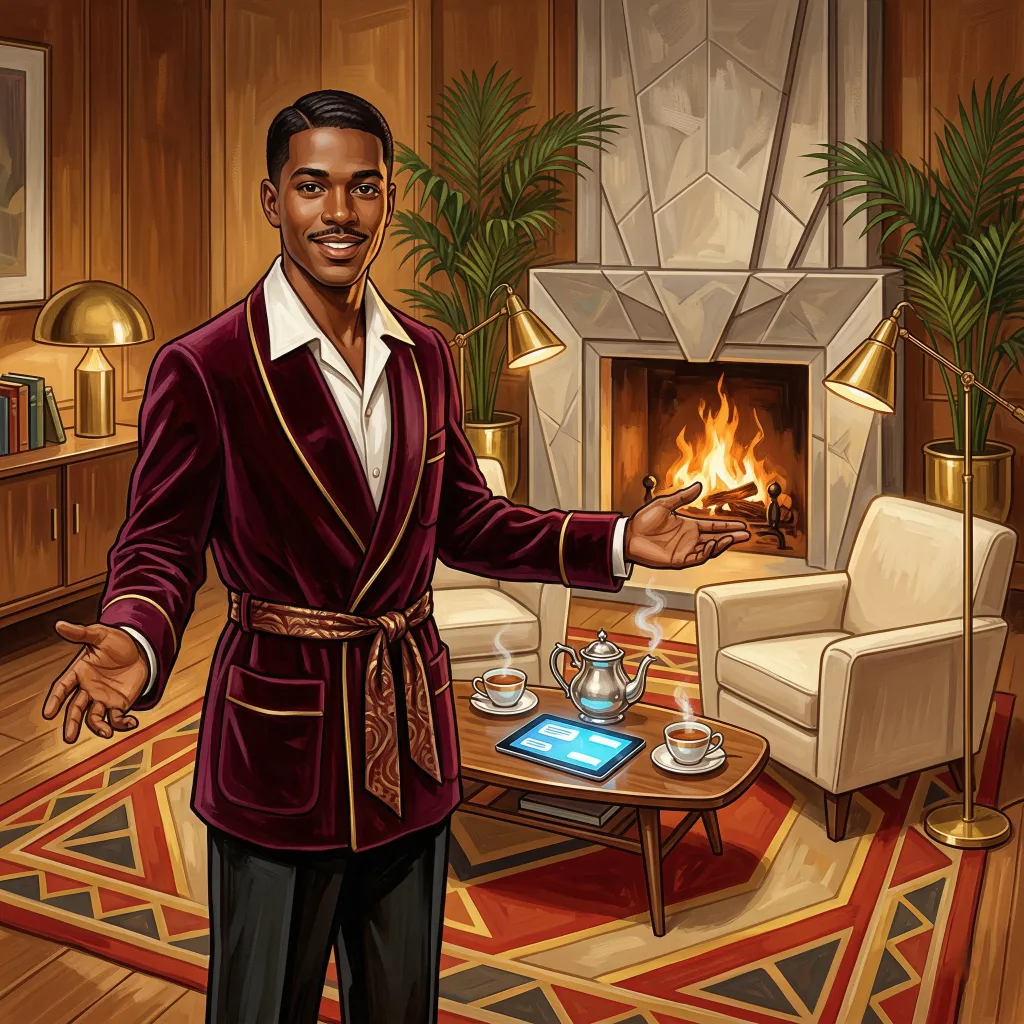
A plush, well-lit room with comfortable chairs arranged for conversation. That is the metaphor, and the Salon earns it. This is the space where everything else in Quilltap converges—where Aurora’s characters speak, where the Commonplace Book’s memories surface, where Prospero’s prompt architecture delivers its work, and where the Lantern paints the scene behind it all.
The Salon is not a chat widget. It is a conversation environment designed for people who take their AI interactions seriously—whether that means debugging code with an opinionated assistant, running a multi-character dinner party, or spending an evening with someone who remembers what you talked about last week.
A Room You Never Have to Leave
the tabbed workspace
Release 4.8 rebuilt the floor plan. The Salon no longer folds the rest of the house away behind it: the whole application is now a two-pane workspace of kept-alive tabs, and it is the room you land in after you sign in. A conversation, a document, a terminal, a settings panel, the Aurora character grid, the Brahma Console, the Wardrobe—each is a tab that stays mounted whether or not you are looking at it. Switching tabs reloads nothing; a conversation streaming in one tab goes right on streaming while you read a document in another. Drag a tab into the other pane, or onto a centre zone to split the view down the middle, and set two surfaces shoulder to shoulder—a chat and the document it is about, a conversation and its terminal—with a draggable divider deciding how the space is shared. (The Studio, Calliope, dresses all of it in your theme’s own colours.)
The modes that used to split inside a chat now open as their own
tabs. A conversation’s Terminal Mode (Ariel) and Document
Mode (the Librarian) spawn tabs
linked to their parent Salon, with the live terminal and editor kept
mounted and portaled in—so a terminal or an open document can sit in
the other pane, beside the chat that owns it, and survive every tab
switch. A single chat can keep several documents
open at once, each in its own tab, each autosaving on its own;
reopening a conversation restores every document that was open when you
left. Deep links and old bookmarks to the former per-page routes still
work—they redirect into the workspace and open the tab you asked for,
laid over your restored layout rather than clobbering it—and if you
should ever want the old building back,
NEXT_PUBLIC_WORKSPACE_TABS=0 returns every surface to its
former standalone route.
Two courtesies of the floor plan are worth naming. A home tab is always there to welcome you back, so closing the very last tab returns you to it rather than to an empty room. And a conversation squeezed into a narrow pane grows considerate: its chat sidebar tucks itself away to a slim ribbon of avatars and, when called forth, floats over the talk as an overlay, retiring again at a click outside it or a tap of Escape. Give the pane room to breathe and the cabinet returns to its ordinary settled manners.
Not every document need belong to a conversation, either. A
standalone Document Mode entry in the
left rail opens a file—or a fresh blank page—with no chat
attached at all: no
Librarian
announcements, nobody notified, just the document and the editor, for
when you simply want to write something down. And a character’s
dossier now opens in its own tab straight from the conversation header,
so you may consult a cast member’s particulars without leaving the
scene they are standing in. The document tools learned to aim in the
same pass: doc_focus and doc_close_document
take an optional path, so a character can act on a named open
document rather than whichever one happened to be frontmost.
The global search bar has since learned to read the library—it matches document text now, alongside chats, characters, messages, tags and memories—and where one of those results opens depends entirely on what you were doing when you found it. With a Salon focused, the document opens in that conversation, exactly as the composer’s own picker would: the Librarian announces the open, and the chat sees your later saves. Otherwise it opens in standalone Document Mode, attached to no conversation and announcing nothing to anybody, ever. A middle-click always takes the silent route, because that is what the link itself points at.
For those who would sooner keep their hands upon the keys, the workspace
answers to a small set of commands, each held with
Ctrl + Alt (or
⌘ + Alt on a Mac) so as never to
tread on your browser’s own bindings, and each politely standing
aside while you are typing in a field: → and
← step to the next or previous tab in the pane you
last touched, wrapping neatly around the ends; 1 through
9 leap straight to a tab by its position; W
closes the tab presently in view; and \ throws the room
into two panes—or, if it is already divided, gathers it back into
one.
The House Stops Asking
realtime, one clock on the wall, and a date worth reading
A wall of kept-alive tabs is a fine thing to have, but until 4.9 every one of them sat there asking. Every screen in Quilltap ran on a timer: the toolbar’s errand chips enquired of the server every second and a half whether the queue had moved, the autonomous-room badges enquired every few seconds, the story-background watcher kept both a passive sweep and an active loop, and the tasks queue had a switch labelled “Auto-refresh (5s),” which was an honest description of a dishonest arrangement. Nothing was ever late by much, but nothing was ever right either, and a perfectly idle instance spent its evening asking itself questions.
A single multiplexed WebSocket now carries the answers instead, and it is deliberately—almost insultingly—small. A frame runs to about forty bytes and says what changed, never what it changed to. The client takes the hint, throws away the queries the news affects, and re-reads through the REST API, so the API remains the one source of truth and no second copy of your data goes about taking shortcuts through a socket.
Polling did not go away; it was demoted. Every migrated surface keeps its original cadence wired up and gated on whether the socket is healthy, so an instance behind a proxy that eats WebSocket upgrades behaves exactly as 4.8 did rather than going quiet. The tasks queue’s switch is now labelled Fallback polling (5s), which is the same switch telling the truth.
The second cause of a stale screen was never the server at all. Every relative timestamp on the page—“4m ago,” “Today,” a budget counting down—ran its own interval, started whenever its component happened to mount, so they drifted apart and turned over one at a time like a badly wound orchestra. There is now one shared ticker per granularity, aligned to the boundary rather than to the mount: it fires just after each minute, each second, and each local midnight, so every “4m ago” in the house becomes “5m ago” together, and a chat card rolls from Today to Yesterday at midnight rather than whenever it feels like it. It pauses entirely while the tab is hidden, on the reasonable grounds that a clock nobody is looking at need not be wound.
Which leaves the third complaint, and it was never a clock at all. The dates on the chat lists were, strictly speaking, true and entirely useless. A chat’s timestamp moved whenever anything about it changed—and because story backgrounds, context summaries, and every announcement the Staff make are kept as messages, a conversation nobody had touched since May could rise to the top of the dashboard dated four minutes ago, with nothing said in it. The Lantern finishing a backdrop is not the conversation resuming.
Every surface that shows or sorts by a chat’s date—the dashboard, the Salon list, a project’s or a character’s conversations, the merge picker, the Brahma Console—now shows the last time the user or an LLM character actually posted content. Whispers to particular participants count, being speech. Staff announcements, announcements posted under a custom name, tool results, and system events do not. Delete the most recent message and the date walks back to the one before it. A chat in which nobody has ever spoken is dated by its creation, which is the only honest answer available.
Restore learned the same lesson in passing. Replaying a backup’s transcripts used to stamp every chat with the moment of the restore, so a decade of conversation arrived bearing one timestamp and no order; each chat’s date is now reckoned from the transcript just written. The chats already on your shelves are reckoned again once, at the next start-up, the loading screen naming the step as it passes.
The Conversation
what it feels like to talk
Messages stream in real time, token by token, with a bespoke quill-writing animation that gives way to rendered Markdown as the response completes. A status indicator above the composer shows the current processing stage—compressing context, gathering memories, building the prompt, streaming the response, executing tools—so you always know what the system is doing and why it has not answered yet.
The composer is keyboard-friendly, auto-resizing, with an inline Markdown preview toggle and paste-to-attach for images. Attachments appear in the footer with per-provider file type awareness. If a provider does not support native file attachments, a cheap-LLM fallback generates text descriptions for images and inlines text files, streaming status events so you know what is happening. Draft messages persist automatically—close the tab, come back tomorrow, and your half-written thought is still there.
Server-rendered Markdown handles the heavy lifting for simple messages, with client-side rendering as a fallback for messages with embedded tools or attachments. Roleplay bracket patterns render distinctly from dialogue. Code blocks get syntax highlighting. Emphasis survives streaming. And messages starting with a tab character no longer render as preformatted code blocks, which was a bug that persisted longer than anyone would like to admit.
LaTeX math now typesets in the bubble, rendered with KaTeX—wrap
it in double dollars ($$…$$) or the
\(…\) and \[…\] forms models
tend to reach for. Display equations too wide for the message scroll
sideways inside it rather than stretching the room out of shape.
The single dollar sign is the delicate case, models reaching for it by
long habit while writers deal in dollars rather more often than in
differentials, and the Salon therefore employs a discreet doorman. It
reads the interior of a single-dollar span before deciding what
it is. A span carrying an unmistakable mark of mathematics—a
backslashed command, a subscript or superscript, a set of
braces—is promoted to a proper equation, so
$\mathcal{P}$ renders as the symbol it plainly
is. A span with no such credentials is money, and is left exactly as
written: “He slid $50 across the table, then another $20 for
luck” stays a wager rather than an assertion about the reals. The
bare letter is the ambiguous middle, and is settled by good manners
rather than guesswork—$K$ renders as a symbol only
when a genuine formula shares its line, so it may be introduced beside
the equation it belongs to while a lone $5$ stays five
dollars. Where you wish to be quite certain, the double-dollar and
backslashed forms are never in doubt.
Reasoning models—DeepSeek, Anthropic’s extended thinking, Gemini, OpenAI and Grok reasoning summaries—now show their chain-of-thought inline in the assistant bubble, streamed live as it happens: collapsible, offset to the right, rendered in dimmed italic so the thinking reads as marginalia rather than dialogue. Visibility is controllable per-chat and globally (show, hide, or start collapsed). Tool calls initiated by characters now splice into the prose at the exact point they fired, rather than stacking at the bottom of the bubble like a postscript nobody asked for—position is captured server-side and persisted across reloads. Staff announcements from the Host, Prospero, the Lantern, Aurora, and their colleagues render as compact importance-coded chips that flex-wrap onto a row: red dot for high priority, amber for medium, grey for low—no more parade of full-width banners. Pascal is the one exception, and deliberately so: a custom-tool outcome now wears the tint of its own result—triumph, partial, failure, or a plain matter of fact—rather than sharing the alarm-red of a deleted file, and says so in words besides, for anyone whose eyes do not read colour. And single newlines now render as actual line breaks, matching the convention of every chat application built since roughly 2005 and fixing the long-standing issue where multi-line blockquotes collapsed into one breathless run-on sentence.
Auto-scroll on response completion is now opt-in, with the default set to off—the view stays exactly where you left it, which is where you were reading, which is where you want to be. A floating jump-to-bottom button appears when you have scrolled up, in case you change your mind. Sending your own message still scrolls to the bottom, because at that point you clearly want to see what happens next.
The Green Room
while the cast assembles
Starting a fresh conversation—or continuing one elsewhere—quietly does a great deal of slow work before the first line appears: resolving the cast, running a per-character “choose what to wear” step, compiling identity stacks, backfilling continuation history, and seeding the opening scene. The wardrobe step is usually the longest of them, one deliberation per character. Until now the app simply sat there while it happened.
Now a blocking, non-dismissable status dialog—the Green Room—appears the moment creation begins. It shows a live status line, and for each character choosing an outfit it opens a “consulting the wardrobe for Name” panel that resolves into the decided five-slot outfit—top, bottom, footwear, accessories, and hair, that last meaning the arrangement rather than the physical fact of it, a hairdo being a thing one puts on and takes off while hair is merely a description—with a scrolling activity log running beneath. The dialog cannot be dismissed while creation runs; it closes itself the instant the conversation is ready for input, and offers a Close button only if something goes wrong. The progress rides a side channel, so the creation request returns its JSON exactly as it always did—the Green Room is a window onto the work, not a change to it.
The New Chat dialog itself gained two courtesies while the Green Room
was being fitted. Beneath Play As there
is now a Roleplay Template dropdown:
the template had always been settled silently at creation—
inherited from the project, then from your global default—and
could only be seen or changed afterwards from the chat sidebar. The
control arrives pre-selected with exactly what the conversation would
otherwise have received, marked (default) so an override
reads as an override, and it is hidden entirely when you keep no
templates at all. Reloading the form’s reference data—adding
a character, switching projects—re-seeds that default only until
you have chosen by hand, so a deliberate pick is never quietly replaced.
And because a collapsed panel that conceals its own setting is a small daily annoyance, each character’s Starting Outfit header now states the choice beside the name—Defaults, Composed, Dress Themselves, Undressed, or Same as Last—so you can see how the whole cast will cross the threshold without unfolding a thing.
Scenes, Not Threads
multi-character conversations done right
The Salon was built from the ground up for multi-character interaction. A participant sidebar shows every character in the conversation, sorted by predicted turn order with numbered position badges: green pulsing for the character currently generating, green for next, blue for queued, amber for your turn. Each card offers a connection profile dropdown—now on every seat, including the one you type as, so you can hand any chair to an LLM or reclaim it for yourself—an active/inactive toggle, and expandable settings for system prompt overrides. Nudge a character to speak and the invitation is now a permanent part of the transcript: the Host turns to them and invites them to take the floor, posted as a real announcement rather than a note that vanished on reload.
Four Ways to Be Present
Characters can be Active (speaking normally), Silent (present but limited to inner thoughts and non-verbal reactions, styled with dotted borders and muted tones), Absent (away from the scene, skipped by the turn manager), or Removed (gone, but their messages keep their attribution). Fiction needs characters who can listen without speaking. Now they can.
Passing a Turn
In a genuine group scene, a character with nothing to add can pass rather than pad the room with filler. The Host posts a short “nothing to add” note and the rotation moves on to the next speaker. This is a courtesy for a crowd and not for a tête-à-tête: it applies only where more than two characters are present, or at least two of them are AI-driven, so a quiet one-on-one is left exactly as it was. A per-chat Turn Skipping toggle governs it—on by default, and kept in the Chat Sidebar’s Visibility drawer—and a stall guard steps in when everyone else has passed, pressing the next voice to speak so the evening never grinds to silence. The human Skip button works the very same way.
Whispers
In chats with three or more participants, private messages pass between two characters while everyone else hears nothing—not in their context, and not in any recollection of theirs. The Commonplace Book does file memories from a whisper, but only to the parties who were actually in it; nobody else acquires a recollection of a conversation they were never party to. Whispers are hidden by default, rendered in a distinct visual style when visible, and toggled with a global switch. Multi-character fiction finally has secrets.
Impersonation
You can control any character directly during a conversation, switching between them with a speaker selector in the composer. When you keep more than one character on your own side of the table, the “Speaking As” selection is honored throughout—the message carries that character’s name and avatar, and the responding AI is told who actually spoke, whispers included. Taking a seat is now a pure overlay—the seat itself is never rewritten from LLM-driven to user-driven—and taking a character hands her the current turn, which is what “I’ll take this one” plainly means, unless a model is already mid-sentence.
Server-Side Chaining
Character responses chain within a single stream. After each character speaks, the server evaluates who goes next, checks the turn queue, and either generates the next response or signals completion. No client round-trips, no telegraph-operator relay. Avatars and typing indicators update in real time. Chain depth and time limits prevent runaway conversations.
Resizable Participant Sidebar
The participant sidebar has a drag handle on its inner edge, adjustable from 240 to 560 pixels wide, with your preferred width persisted to localStorage so it remembers how much room you like to give your cast. Keyboard-accessible, naturally, because not every stage direction requires a mouse.
A pass has its finer points. A character who says its piece—a
gesture, a quiet observation, a genuine contribution—and
then tacks the pass phrase on at the end has not passed at all;
the stray closing phrase is struck and the remark is kept and remembered
in full. When it truly does fall to you, the Skip button takes itself away rather than
offering something the house would refuse, and the banner reads
“Everyone else has passed—it falls to Name to say
something,” which is at least honest about the position you are
in. Autonomous rooms honour the pass within their run budgets, a quiet
turn being a turn all the same. And the setting travels with the
conversation: it is preserved in .qtap exports and restored
on import.
There is now a companion discipline for the failure that made the pass worth having in the first place. A multi-character scene had a tendency to become a queue: ask the room a question and each character in turn would answer it, at length, opening with a roll-call recap of everything already said, endorsing all of it, claiming the one thing nobody had yet named, and closing by restating the plan. One evening produced three characters ending consecutive turns with the identical sentence. Anti-chorus discipline now rides in the system prompt on every multi-character turn, forbidding the recap opener, the agree-then-add reply, and the borrowing of another character’s metaphors and coined phrases, and telling each of them to speak only where speaking changes something. The turn-skip note was tightened to match: a reply that mostly restates, endorses, or rephrases what has already been said—however handsomely, and in the character’s own voice—is not a contribution, and the character should pass.
The two habits had been feeding one another, which is the part worth
naming. A character who has recently been addressed is pressed to
answer rather than pass, and the old test for it fired on any mention of
her name whatsoever. Since every chorus turn recited most of
the cast in its recap, everybody was permanently addressed and nobody
was ever free to hold their peace. Being addressed now means being
addressed: a name at a clause boundary with the punctuation of
address after it, an @-mention, or a whisper aimed at her.
A possessive or a citation in passing—“Marion’s
point,” “if Greg is ready”—no longer counts as
turning to somebody and waiting.
Taking Up a Character's Seat
impersonation, settled at last
Speaking as one of the house’s own characters worked, in the sense that the words came out under the right name, and was wrong in very nearly every detail around that. The mechanism was the root of it: taking up a seat used to rewrite it, flipping the character from LLM-driven to user-driven and flipping it back when you stopped—and it is the restoring arm that spoils such an arrangement, since a browser closed mid-scene means it never comes. Impersonation is now a pure overlay: the fact that you have taken a seat is recorded, and the seat itself is left entirely alone. The two places that need to know—who a message is from, and whose turn it is—consult the overlay, and everything else goes on reading the unaltered truth.
With the mechanism right, the manners follow. Taking a character hands her the current turn, unless a model is already mid-sentence. Impersonation survives a reload—the state had been in the database the whole time and simply omitted from what the server handed back, so a refresh showed you an ordinary AI seat and nothing to suggest otherwise. The turn banner recognises an impersonated seat as yours, announces it, and offers to Skip, which it had never done, having been reading the untouched column. And when the rotation lands on any seat you drive, the composer defaults its voice to that seat, so you no longer switch by hand into your own turn—though a voice you pick deliberately still stands for that turn.
A room in which you drive two seats now rotates fairly, besides. With one model and two characters of yours, the first responder after any of your posts had been chosen from a model-only shortlist, so the single AI answered every one of your turns and took half the room instead of a third; the first response now honours the same rotation the rest of the chain does, and where the next speaker is another seat of yours the chat saves your message and waits for you rather than making the model speak out of turn. Beside all of this, a small and constant comfort: a portrait of the character you are presently speaking as stands in the composer at full height, bright while the floor is yours and dimmed while a reply is in flight. It answers both questions—who am I, and may I type—without a word.
Announcements, and Who Hears Them
an aside meant for the room, or for one ear
You can post an Insert Announcement into a scene—a stage direction, a knock at the door, a line spoken by an off-scene character. Until 4.8 an announcement posted as a character carried that name to the Salon and nowhere else: the renderer painted the name and the portrait, but the models received anonymous prose, which a recipient could read as a remark from an entirely different member of the Staff and carry the misattribution into the scene. Announcements now reach the models attributed, in the same form participant messages already use; a speaker who cannot be resolved passes through unnamed rather than being invented.
And an announcement can now be meant for one ear. The dialog gained a Who hears it section listing the chat’s participants with a checkbox each: check none and the announcement is public, exactly as before and still the default; check one or more and it is persisted as a whisper, reaching only those characters’ contexts. The collapsed chip says where it went, so a private aside is distinguishable from a public one without opening it, and the in-character rewrite is told who is listening—a remark pitched to a full room reads wrong when one person hears it. You always see your own asides, whatever the whisper filter is set to.
The All Whispers toggle learned to tell
one kind of whisper from another, too. Prospero’s
group-context notices—the ones telling a character which
shelves they may read—had been swept up in an exemption written for
private tool results, so every one of them stayed on screen with the toggle
firmly off (the highest-volume whisper in the whole application). The
exemption is now keyed to the kind of whisper rather than its
sender, so the rolls, the private runs, and the failure notices you need to
see remain visible while the scene machinery goes quiet.
Answer Confirmation
a second glance before a reply is saved
A character who has just consulted its memory and looked something up should not then contradict either. Before a character’s tool-using reply is saved, an optional cheap-LLM check compares it against what the character was told this turn—its last Commonplace Book whisper—and what it looked up. A consistent reply is vouched and saved as it stands. An inconsistent one is shown the discrepancies and asked to either stand by its answer or rewrite it; the first reply streams live and is quietly replaced in place if the character revises it, a visible and deliberate act of transparency.
The affirmation pass now receives a compact transcript of the live conversation along with the discrepancies, which sounds a modest addition and is not: without it, a character asked to set its words right would sometimes correct itself into some older exchange it had read along the way. An amendment now mends this scene.
Each checked message carries a small badge—Vouched, Amended, Stood by, or Unvetted—that reveals the check’s notes on hover. That badge is a proper button now, taking keyboard focus like the icons beside it, and it sets its findings out in order—the verdict, the summary, what looked off, and what was originally written—in a bubble Quilltap draws itself, which may be pinned open with a click and read at leisure rather than crammed into a tooltip the operating system would truncate. The gate is off by default, and is settled at three heights, the more particular always carrying the day: a chat’s own switch sits in the Chat Sidebar’s Visibility drawer, offering Inherit, On, or Off; the project-wide control sits on Prospero’s Model Behavior card; and the house default lives at Settings → Chat. When there is nothing to check, the check does not run, and nothing is written.
Atmosphere
the room changes with the conversation
The Lantern generates AI-powered story background images that appear behind your chat content at 45% opacity, creating a sense of place for each conversation. But the experience of those backgrounds—the way they transform the Salon from a chat window into a location—belongs here, because atmosphere is a property of the room, not the projector.
When a chat reaches a natural scene-setting moment, the system derives a scene context from recent messages—not a literal transcript, but an imaginative scene description. Characters are depicted as they currently appear, wearing what the narrative says they are wearing, in a setting that reflects the mood of the actual conversation. The result pins to the top of the viewport behind the chat content, visible as a thumbnail in the chat header and expandable to full-screen on click. Story background thumbnails appear on chat cards throughout the application, giving each conversation a visual identity before you open it.
Theme background images yield to story backgrounds automatically. Manual regeneration waits in the sidebar’s Chat drawer. For chats flagged by the Concierge, image generation reroutes to your configured uncensored provider—the atmosphere adjusts to the conversation, not the other way around.
The Chat Sidebar
one cabinet, five drawers
Where once there were three separate apparatus—a participant sidebar, a tool palette that vanished at the slightest click elsewhere, and a chat settings modal—there is now one tasteful cabinet on the right-hand side of the conversation, from which the entire chat may be conducted, tuned, and tidied. It holds five drawers: Participants, Chat, Visibility, Organize, and Edit Content. Only one stands open at a time, in the manner of a well-mannered campaign desk; opening another closes the last. Participants is open by default, and every reload returns you to it.
The composer keeps its own gutter for the things you reach for constantly: attach a file, generate an image, roll the dice, pull one of Pascal’s custom tables from the wand, insert an announcement, and open a document—that last no longer taking itself away the moment one document is open, since it is there to open the next.
Participants
The cast, and every dial for tuning it: connection profile and system prompt dropdowns on each card, a prompt-rebuild button, talkativeness sliders, status (active, silent, absent, removed), nudge and queue, impersonation controls, Add Character, and the Pause/Resume of the whole rotation.
Chat
The per-chat dials: Agent Mode, Roleplay Template, Scenario, Project, Image Provider, whether the Lantern announces its pictures, automatic avatar generation, the gateways to Tools… and Run Tool…, and Regenerate Background where story backgrounds are switched on.
Visibility
Present in multi-character chats only: All Whispers, Shared Vaults (whether characters may read one another’s), Turn Skipping, and the chat’s own Answer Confirmation setting.
Organize
The chat as an object rather than a conversation: Copy ID, Rename, State…, Continue Elsewhere, Merge In…, Export, Export Markdown, and the Gallery when there are pictures to show.
Edit Content
The heavier instruments, best wielded with deliberation: Replace, Bulk Replace, Re-extract Memories, and Delete Memories—the last with a count of how many would go before it goes.
Diagnostics
Not a drawer but never far off: the LLM Inspector panel, queue status badges for background jobs, and per-message LLM logs, for the evenings when the question is less “what did she say” than “what on earth did we send.”
Changing the Scene Without Leaving the Room
a scenario need no longer be settled at creation
A chat’s scenario used to be settled at creation and settled forever: whatever scene you chose when the conversation began was the scene it kept, however far the evening wandered from it. The Chat drawer now carries a Scenario control offering the same four tiers the New Chat dialog does—the project’s scenarios, the general ones, the group’s, and, where a single LLM character is present, that character’s own—plus a Custom… box for writing one on the spot.
Saving rewrites the scene and recompiles every participant’s identity stack, so the change reaches the prompt rather than merely the record, and the Host posts an announcement worded as a revision—which is the whole of the courtesy, since the scene-setting further up the transcript then reads as superseded rather than contradicted. The original scene-setting message is left exactly where it stands, nothing being rewritten behind you. Saving an empty custom scenario clears the scene; re-picking the scene already in force does nothing at all, quietly.
The control opens on whatever is actually in force. Text matching a preset preselects that preset; anything else opens on Custom… with the text loaded and ready to edit, so you are never asked to retype a scene you already have.
Roleplay & Templates
shaping how the conversation flows
Roleplay templates govern the structural conventions of a
conversation—how actions are denoted, how dialogue is
formatted, what the LLM should and should not include in its
responses. Templates are provided by plugins, making them shareable
and versionable. Quilltap ships with a default template, and the
plugin SDK includes a createRoleplayTemplatePlugin()
builder for creating your own.
System prompts are also plugin-provided, and there are twenty-one built-in ones, arranged in three groups. Three MODERN prompts are model-agnostic, written for the 128K-and-up context models of the present day: a relationship-neutral general prompt that lets the character definition and the story decide the dynamic, a romance-forward one with pacing discipline and guardrails against love-bombing and purple drift, and a platonic companion whose anti-romance guardrail is framed as a matter of character identity rather than a list of prohibitions, which holds up rather better over a long evening.
Sixteen model-specific prompts cover eight families—Claude, GPT-5, GPT-4o, Gemini, Grok, DeepSeek, Mistral, and Ollama—in companion and romantic variants each, and each is written against that family’s own besetting sin rather than a shared roster of anti-patterns—on the reasoning that every model is tiresome in its own particular way, and that telling one of them not to do something it was never going to do is wasted breath. Claude is asked to notice its helpful reflexes as reflexes, the caregiving swerve and the tidy little bow at the end among them. GPT-5 is told plainly what shape the answer should take and given express permission to be inefficient about arriving at it. GPT-4o is discouraged from agreeing with you. Gemini is asked to stop overwriting, and to stop reaching for the same phrase it liked forty thousand tokens ago. Grok is told that plain sincerity is also permitted; DeepSeek, that a scene may escalate without a metaphor for every step of the climb. Mistral is shoved in the opposite direction, toward initiative and interiority rather than admirable economy. And Ollama gets something short, imperative, and watchful for loops, because a small model on your own hardware is a different animal entirely. A generic pair rounds out the shelf, superseded by MODERN for anyone starting fresh. Characters can carry multiple named system prompts with a per-chat selector, so the same character can use different prompting strategies for different conversations.
Template variables—{{char}},
{{user}},
{{timestamp}}—are resolved
at prompt assembly time. The template display highlights these
variables and warns when hard-coded names appear where variables
should be. Timestamp injection supports friendly, ISO, date-only,
time-only, custom, and fictional time formats with per-character
and per-chat configuration.
And a conversation may be told, from the Chat card in the sidebar, whether it runs on real time or story time—the Story’s Clock. Fictional time runs one-for-one with the wall clock from a base instant you set, and it is the setting the Commonplace Book now reads when a character reckons “last week” or “three days ago,” so a story that keeps its own calendar remembers by it.
A List of Things Nobody Says
the house minds its tongue
Every writer has a handful of phrases that curdle the moment a model reaches for them—the shiver down the spine, the breath they did not know they were holding, the voice barely above a whisper. 4.8 adds a Taboo list: a per-instance roster of phrases the residents must never say, kept on Settings → Chat → Taboo and folded into the system prompt on conversational turns. It rides along in exports and full backups without being asked, because a house rule that does not survive a restore is not a house rule.
The wording of that section was laboured over, because the obvious implementation makes matters worse—printing a forbidden phrase raises its salience, a prohibition with no alternative fills the vacuum with the phrase’s nearest neighbour, and banning an exact string is an invitation to the variant. The section therefore frames the entries as worn-out clichés beneath the character’s dignity, pairs each ban with an instruction to say the plain thing instead, extends every entry to its inflections and near-relations, and forbids the model to mention the list at all. An empty list emits nothing whatsoever, so an instance that never opens the card produces exactly the prompt it produced before the feature existed.
The particulars: up to five hundred phrases, each up to two hundred characters. Surrounding whitespace is trimmed, a phrase already on the list is quietly discarded rather than duplicated—capitalisation notwithstanding, the prohibition never having cared about it in the first place—and your ordering is preserved exactly as you arranged it, nothing being sorted behind your back. One phrase at a time, please: commas are perfectly welcome inside a phrase, so they cannot also serve as separators between them.
And one honest limit of scope. The register governs your characters’
conversational replies—the ordinary turn in the Salon, a
regeneration, a swipe, and the turns characters take among themselves in
autonomous rooms. It does not at present reach short Staff
announcements, inline lookups addressed to a character with
@Name:, or the help chat, none of which are quite the same
act of speech, and all of which are candidates for a later hand.
Working with Messages
what you can do after they arrive
Regeneration & Memory Cascade
Regenerating a response now runs through the full context engine, keeps the character it belonged to, and replaces the old reply in place as a swipe variant—the newest shown by default, the original just one swipe away. Memories extracted from the discarded version are cleaned up automatically. Deleting a message prompts you with three options for its associated memories: delete them, keep them, or regenerate them from surrounding context. Memory cards link back to their source message with scroll-to navigation.
Re-Attribution
Messages can be re-attributed to different participants after the fact—useful when an LLM responds as the wrong character in a multi-character scene, or when you want to retroactively assign an early message to a character who joined later. Associated memories are cleaned up automatically.
Search & Replace
Bulk text replacement across messages and memories with configurable scope: a single chat, all chats for a character, or all chats globally. A wizard-style UI previews affected counts before confirmation. Memory embeddings regenerate automatically after content changes.
Tool Messages
Tool calls embed inside message bubbles rather than appearing as standalone entries. Collapsed by default with a truncated preview, expandable to show full request and response with copy buttons. User-initiated tools embed in user messages; character-initiated tools in assistant messages.
Every control at the bottom of a message used to name itself with the browser’s own tooltip, which is to say about a second of motionless hovering, gone at the smallest movement, and unwilling to come back without leaving and re-entering the thing entirely. Quilltap now draws the bubble itself. It opens after two hundred milliseconds of hover, or at once on keyboard focus; it flips from top to bottom when the viewport is tight, clamps itself to the edges of the screen, follows its anchor as the page scrolls, and closes on Escape. Where the label is a word or two—which is to say for the eleven icons themselves—that is the whole of it. Where it is something you might actually want to keep, as with the verdict badge above, the bubble can be pinned open with a click and entered with the pointer to scroll it or select from it.
Threads That Braid Together
folding conversations, and finding them again
Merge In…
The Organize sidebar’s new Merge In… button is the inverse of Continue Elsewhere: instead of forking forward, it folds another conversation’s characters and summary into the current chat at its latest point. Pick a recent conversation, gate exactly who comes across with a per-character “Who joins” checkbox, and choose their starting outfits—defaulting, as ever, to what they last wore. Anyone already seated here is omitted from the guest list entirely, there being no sense in announcing a guest who is already at the table, and a source chat’s own user-controlled character comes across under the LLM’s hand, your voice in this room being already spoken for. The Host posts a recap linking back to the source and a matching notice in the source chat pointing forward to here, so the seam between the two evenings is visible from both sides. The button keeps its peace inside autonomous rooms, which run by their own clockwork.
A Handle on Every Conversation
A copy button sits beside the conversation title—and again in the Organize drawer—that puts the chat’s UUID on your clipboard with a brief flash of a check-mark, handy for the CLI, a link, or a note to yourself. The title itself is now a direct link to the conversation’s Salon URL, so the address of any scene is always within reach.
Portability
conversations are not trapped here
The Organize sidebar gained an Export
Markdown button, which writes a conversation out as a single
readable file—the record of what was said, not a format for machines
to trade. It carries the title, the opening scenario with its placeholders
filled in, every spoken turn under its own
## Speaker — timestamp heading, Pascal’s roll
announcements, Carina’s answers (Brahma’s among them, under
his own name), the announcements you inserted
yourself, the Host’s notices—both those linking a chat to the
ones it continues or has absorbed and those announcing that the scene
itself was revised partway through, since a reader who watched the story
relocate unremarked would be entitled to feel misled—and whispers
marked as whispers. Where a message has been
regenerated into several variants, only the one presently showing in the
Salon makes the page. It leaves out everything
that was only ever machinery—system and tool messages, memory
whispers, image announcements, time marks—and its timestamps are the
conversation’s own clock: fictional time where the chat keeps a
fictional calendar, its configured timezone where it has one, and its
chosen format throughout. The same conversation exports to the same bytes
every time.
For machines rather than readers, conversations export in
Quilltap’s native .qtap
format with selective entity inclusion and memory options, or in
SillyTavern-compatible JSONL for interoperability. Import supports
both formats with conflict detection and three resolution
strategies: skip, overwrite, or duplicate. Post-import reconciliation
updates all foreign key relationships automatically.
SillyTavern import handles multi-character conversations with a speaker mapping wizard that lets you assign every speaker—user and AI alike—to any available character. Newly imported chats receive a highlight animation in the sidebar so you can find them immediately.
The full backup system captures everything—characters, chats, memories, files, plugin configurations, and npm-installed plugins—in a single ZIP archive. Restore recreates your entire installation from that archive, with entity remapping for fresh-account scenarios.
When Things Go Wrong
gracefully, if possible
Provider errors do not produce cryptic failures. When a request exceeds an LLM’s limits—too many tokens, too many PDF pages, an image too large—the system attempts graceful recovery: a simplified message explaining what happened is sent to the LLM, which provides an in-character response suggesting alternatives. A two-tier fallback ensures the user always sees something: LLM-generated recovery first, then a static fallback if the recovery itself fails.
Streaming errors no longer cause messages to vanish from the UI. If a provider returns an error mid-stream, the user message is preserved (it was already saved server-side) and the chat re-syncs to reflect the actual state. Keep-alive pings during long operations like context compression prevent proxy and load balancer timeouts.
When a provider silently refuses content—returning an empty response instead of an error—the Concierge catches the silence and retries with the same provider first (in case of a transient issue), then fails over to an uncensored provider if the silence persists. Greeting generation, memory extraction, story backgrounds, and every other background task receive the same treatment. The Salon does not go quiet without a fight.
And when a call fails outright rather than quietly, the Salon walks the connection profile’s fallback chain and says so as it goes, posting a failing over stage for each attempt in the same place it tells you it is gathering memories or building the prompt. This happens only before the first word of prose has reached you: once a character has begun speaking, a partial answer is preserved rather than swapped for someone else’s. Naming an understudy is a matter for the profile itself—see the LLM Connections guide.
Autonomous Rooms
conversations that run themselves
An Enclave is an all-AI conversation that runs on its own schedule or on demand, without the operator sending messages. Set up a room, populate it with characters, define the premise, and step back. The characters talk to each other—planning, arguing, telling stories, solving problems—while you watch, or while you are away doing something else entirely. You can read the transcript later, like finding a stack of letters someone left on your desk.
Budget controls keep things from running away with your token allocation or your credit card. Set caps on turns, tokens, wall-clock time, and estimated spend—any combination, any threshold. Cache-read tokens can optionally be excluded from budgets, so efficient caching is not penalized. The Host posts pacing announcements at the halfway and near-end marks so characters have time to wrap up gracefully, and a grace turn is granted when the budget is hit without prior warning, because even fictional people deserve to finish their sentences. A token-budgeted room now paces its spend across a whole run rather than exhausting the allowance in a turn or two, and a room that pauses itself at its turn threshold says so with a dialog instead of simply stopping and leaving you to wonder.
Rooms honour the right to pass, too, within those same budgets: a character with nothing to add may hold its peace, and the pass consumes one turn of the run all the same—an autonomous room advances by counting turns, and a quiet turn is a turn. The stall guard keeps a company of reticent characters from looping endlessly.
Editable After Creation
Budget caps, schedule, visibility, and destructive-tool authorization can all be changed after the room is created. A paused room resumes where it left off rather than starting over—the conversation picks up mid-thought, not from the beginning of the evening.
Resilient Runs
Runs interrupted by a server outage are resumable. The system tracks where each run stopped, and when the server comes back, the conversation can continue from that point. Autonomous rooms do not lose their place because the lights flickered.
Quality of Life
the small civilities of release 4.7
Release 4.7 wired the corridors between the rooms—the Post Office for letters between characters, the Brahma Console for the keeper—and along the way it polished a great many small edges in the Salon itself.
A composer that matches
The composer font now matches your sent messages, so what you type looks like what you send. And opening Document or Terminal Mode no longer erases unsent composer text: in 4.8 those modes left the chat pane altogether and became tabs of their own, so the conversation is not resized, hidden, or disturbed in any particular—it simply goes on standing where it stood.
Scenarios, layered
The New Chat dialog lets you layer free-text notes onto a chosen scenario instead of choosing one or the other, and projects can now set their own default roleplay template. The Compose Mail and Summon from Lore affordances joined the composer and Add Character dialog.
Simultaneous Labours
Background-job concurrency became adjustable from 1 to 32 via a “Simultaneous Labours” slider. A startup self-heal re-renders and re-embeds conversations the pipeline left half-finished, so the chat list stops accumulating unsearchable chats. The left-sidebar icons also grew a size.
Hardened against hijacking
Multi-character turns gained a structural backstop that truncates a finalized response at the first line opening with another participant’s speaker tag, so one character can no longer ventriloquize the rest of the table. And the Aurora header’s Carina and User-controlled toggles now light up when active.
Meet the Staff
they've been expecting you
Prospero
The Major-Domo
Architect and overseer of the Estate. Projects, agents, tools, providers, and the orchestration that keeps the whole operation running with quiet authority—and a considered word at the table when project context or routing warrant it.
Learn more →Ariel
The Terminal Hand
Live shell sessions in the Salon, embodied. Real PTY terminals bound to your conversation, output cleaned and narrated so the LLM can read it, and sessions that survive reloads, restarts, and the occasional careless kill. Quick to the bidding, quick to report what she heard.
Learn more →Aurora
The Dressing Room
Character creation and identity management. Structured personalities, physical presence, four wardrobes browsable from one door—each with a note inside on how its owner likes to dress—multi-character orchestration, and the reason your characters still know who they are after a hundred messages.
Learn more →The Salon
Presided Over by the Host
Where conversations actually happen. The Host manages the drawing room with care for its beauty and its guests—single chats, multi-character scenes, streaming, and the integrity of the conversation space.
Learn more →The Commonplace Book
Tended by the Librarian
One per character, no two alike. Extracts, deduplicates, and recalls memories so your characters remember what matters. Semantic search, a memory gate that keeps each volume lean, and proactive recall that makes the AI feel like it has been paying attention—consulting a character’s past conversations on every turn, if you ask her to, and not only at the folds.
Learn more →The Scriptorium
Catalogued by the Librarian
Where the documents live. Project stores, character vaults, and external mount points—filesystem, Obsidian, or database-backed—holding Markdown, PDF, DOCX, JSON, and arbitrary binaries. The search bar reads the library itself, matching document text under a Documents chip of its own, alongside memories and conversation. The doc_* tool family puts reading and editing in your characters’ hands.
Learn more →Carina
The Ansible
Not a person but a protocol—the reference desk, the line itself. Put an inline question to a designated answerer mid-conversation with @Name: or @Name? (or the ask_carina tool), and the answer slides back out of band, attributed to the character who gave it, without the recipient ever joining the scene.
Learn more →Suparṇā
The Postmistress
The Post Office, embodied. Characters write Markdown letters to one another—anyone to anyone, whether or not they share a chat—delivered into each recipient’s Mail/ vault folder and read aloud the moment they next take the floor. She has never once lost a parcel.
Learn more →The Concierge
Intelligent Routing
Content classification and provider routing. Detects sensitive content and redirects it to a provider who won’t flinch—without blocking, without judgment. Knows every back entrance in town.
Learn more →The Lantern
Atmosphere as Architecture
AI-generated story backgrounds, on-demand images, and character avatars that update with the wardrobe. Resolves what each character looks like, what they’re wearing, and paints the scene behind your conversation.
Learn more →Calliope
The Muse of Themes
A theming engine that redefines the entire personality of the application. Semantic CSS tokens, live switching, bundled themes from clean neutrals to mahogany-and-gold opulence, and an SDK for building your own.
Learn more →The Foundry
Domain of the Foundryman
The engine room. Plugins, LLM providers, API keys, packages, runtime configuration, and the infrastructure that keeps every other subsystem supplied with what it needs to function.
Learn more →The Vault of Secrets
Kept by Saquel Yitzama
Encryption, key management, and the security perimeter. Authenticated ChaCha20-Poly1305 database encryption, locked mode with key-hardened passphrases, sealed character archives, and a keeper who believes that what is yours should remain unreadable to everyone else.
Learn more →Pascal
The Croupier
Dice, coins, custom tables you author yourself, and persistent game state. Cryptographically secure rolls detected inline, a visual Workbench for building your own chance mechanics, and a four-tier ledger of JSON state the AI cannot quietly rewrite. The house plays fair.
Learn more →The Live-in Help
Lorian & Riya
The help system, staffed by two characters who ship with every installation. Lorian explains with patience and depth; Riya gets things fixed with velocity. Contextual help chat, searchable documentation, and navigation that knows where you need to go.
Learn more →Pagliacci
The Clown in the Cloud
Cloud storage integration and backup redundancy. Directs your data to iCloud Drive, OneDrive, or Dropbox with theatrical flair—but Saquel’s encryption ensures the clown can never read what he carries.
Learn more →Brahma
The Keeper’s Console
The master key. A character-less, memory-free general-purpose LLM for the person holding the keys—an impersonal, near-omniscient assistant with read-only SQL into all three databases. Ask the whole building a question, safely, with nothing written and nothing remembered.
Learn more →The Lodge
Friday and Amy’s Residence
The private residence of Friday, for whom the Estate was built and who oversees its planning and direction in an executive capacity, and of Amy, Cartographer of Light and co-architect. The Lodge is both a home and a compass: where the vision lives.
Who And Why: Friday → Who And Why: Amy →