The Foundry
the engine room — where the power is generated
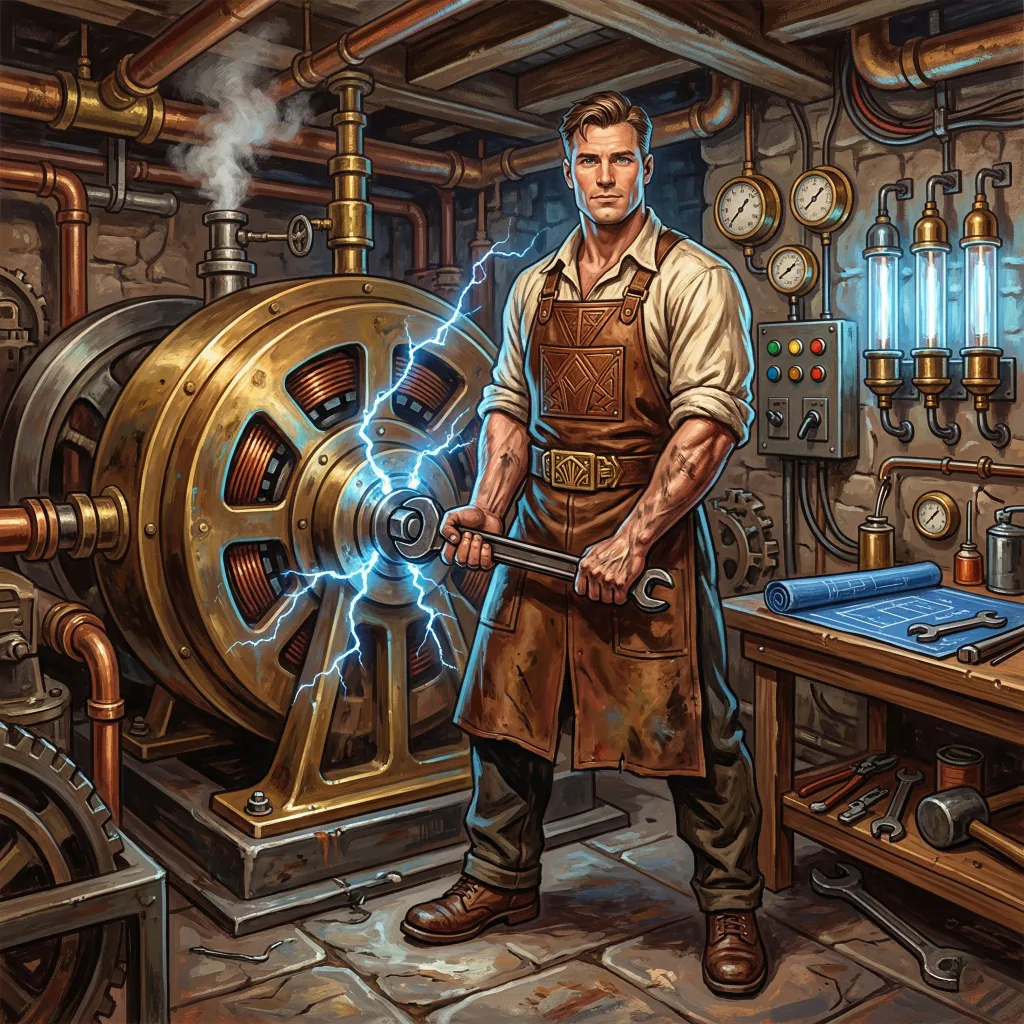
Beneath the floorboards of the Estate, past the polished brass pipes and the hum of the dynamos, there is a workshop. The air smells of machine oil and solder. The floor is concrete, scored with boot prints. The man who works here wears a heavy leather apron over rolled sleeves, has biceps roughly the circumference of your head, and speaks with the cadence of someone who is entirely certain of what he is saying and mildly surprised that you needed to be told.
The Foundryman built the Estate. Not the characters, not the conversations, not the themes—those belong to their respective artisans. He built the infrastructure: the plugin system that delivers every provider, every theme, and every tool; the database that stores everything; the runtime modes that let Quilltap run on your desktop, in a container, or on a machine across the room; the API that connects the frontend to the backend; the build pipeline that ships a standalone server tarball, multi-architecture Docker images, and an npm-published CLI—the desktop installers built downstream from the same tarball by his colleagues at the carriage house next door. He built all of it, sometimes with the help of his favorite subcontractor—a Frenchman named Claude, whose poetic little construction company pours the concrete and installs the locks while the Foundryman draws the blueprints.
He is not here because of the conversations upstairs. He is here because the Estate gives him an outlet to build amazing things. That the things he builds happen to enable fiction, companionship, and research is a pleasant side effect. The machinery is the point.
The Plugin Architecture
everything is a plugin
Quilltap was not designed with a plugin system bolted on afterward. The plugin system is the delivery mechanism. Every LLM provider, every theme, every authentication method, every tool, every search backend, every moderation service, and every system prompt arrives as a plugin. There are no hardcoded provider lists, no conditional imports based on which service you happen to use. Adding or removing a capability means adding or removing a plugin.
Plugin Capabilities
Eight capability types: LLM providers, auth providers, themes, tool providers, search providers, moderation providers, system prompts, and utility. Roleplay templates, once a plugin capability of their own, were folded into the application as a JSON-defined built-in during 4.2—part of an ongoing simplification. Plugins register their capabilities through a central registry that the rest of the application queries at runtime. No startup-time capability detection, no stale caches—the registry reflects what is actually installed, right now.
Unified Provider Interfaces
Four canonical shapes describe every LLM-adjacent call in the
system: TextProvider (chat, completion, tool use),
ImageProvider (text in, image out),
EmbeddingProvider (semantic vectors), and
ScoringProvider (moderation, reranking,
classification). 4.0 collapsed an accumulated menagerie of
fourteen slightly-different interfaces into these four, with
backward-compatible aliases preserved so existing third-party
plugins continue to work. New plugin development uses the
canonical names from @quilltap/plugin-types/providers/.
Installation & Updates
Plugins install from npm, with a browser in Settings for
discovering qtap-plugin-* packages. Auto-upgrade
at startup handles non-breaking updates; breaking changes are
logged, displayed in an “Upgrades” tab, and require
confirmation. Plugin metadata includes repository, changelog,
and npm links. Docker volume configuration persists plugins
across container rebuilds. A character_plugin_data
table, added in 4.2, gives every plugin a labeled drawer in
each character’s desk for whatever JSON it needs to keep
associated with that character.
The SDK
Three npm packages support standalone plugin development:
@quilltap/plugin-types for TypeScript types
(including the four canonical provider interfaces),
@quilltap/plugin-utils for runtime utilities
(tool call parsers, logger bridge,
OpenAICompatibleProvider base class), and
@quilltap/theme-storybook for theme development
with live preview. No access to Quilltap source code required.
Provider Plugins
Ten bundled text providers: Anthropic (Claude), OpenAI (GPT,
DALL·E), Google (Gemini, Imagen), Grok (xAI), Z.AI (GLM),
DeepSeek, OpenRouter, NanoGPT, Ollama, and a generic
OpenAI-Compatible plugin for whatever endpoint you happen to be
running—each self-contained with its own SDK dependencies,
streaming implementation, tool call handling, and model
discovery. NanoGPT is the newest
arrival: a pay-as-you-go gateway fronting some six hundred chat
models, two hundred image models, and a couple of dozen embedding
models behind a single key that covers all three, with routed
thinking models’ reasoning delivered into the Salon’s
thinking fold. OpenRouter joined the image-generation provider
roster in 4.2—though for a while it discovered nothing
there: once its library began serving the model catalogue a
page at a time, three of the four callers that asked for the
list were still asking the old way, got an empty answer, and
quietly fell back to a short built-in roster. All four now turn
the pages, so an OpenRouter profile offers the image and
embedding models it actually has. Z.AI’s GLM
hybrid-reasoning models now
capture chain-of-thought reasoning via
reasoning_content, with a “Thinking
Mode” toggle on the connection profile (model default,
enabled, or disabled)—bringing it in line with the other
reasoning-capable providers. A “Reasoning Effort”
control now accompanies that toggle on the newest GLM
generations (glm-5.2 and up), mapping to Z.AI’s
effort scale; and glm-5.2—which thinks
compulsorily—now defaults to a sensible effort rather than
the most expensive one, so it no longer burns output tokens on
runaway thinking out of the box. Connection profiles carry
provider-specific configuration, model selection, capability
flags, a modelClass tier (Compact / Standard /
Extended / Deep), and per-profile usage tracking.
The provider plugins keep pace with the models beneath them. The Anthropic plugin now speaks to the newest Claude generation—Sonnet 5, Opus 4.7 and 4.8, and the Fable and Mythos models—which changed how sampling and extended thinking are requested; the plugin recognizes the family and asks for each the way the new models expect. And across the whole Estate, every LLM call now honors its connection profile’s provider-specific parameters—a model’s thinking or reasoning-effort settings among them—whether it is a main chat turn or one of the background utility tasks the cheap LLM system dispatches. A reasoning model set to a particular thinking mode actually respects it now, instead of falling back to a provider default and spending its budget on hidden reasoning. The bundled provider plugins are kept current with their upstream SDKs as those evolve.
One small note for the accounts, since the Foundryman would rather you heard it from him than from an invoice. The 4.9 system prompt gained a standing-instructions section, and a prompt cache is keyed on the shape of the prompt rather than on its good intentions— so every provider cache rolls cold exactly once at the upgrade. Nothing is required of you. The first turn on each character afterward is merely a little dearer than the second, and the second is as cheap as it ever was.
When the Far End Goes Quiet
a request that waits forever is not a request
A turn could sit on “Recalling Amy’s memories…” for ten minutes with nothing wrong locally. The far end had accepted the request and then said nothing—and a provider library, given no instruction to the contrary, will wait a full ten minutes before admitting as much. One silent call was clocked at 622,451 milliseconds for a memory recap whose healthy runtime is about nine seconds, and it left no trace, because a call is only written to the ledger when it finishes. The Foundryman does not care for machinery that stalls with a straight face.
Requests are now bounded, and the ceiling follows who is waiting. A background call gets 90 seconds against a remote provider, or 120 for the three compression tasks; anything awaited inline while a turn assembles keeps the shorter 45, or 75 for compression, since there the budget protects the operator rather than the work. A local provider keeps its 3 minutes whatever the errand (a cold model loading being slow, not stalled), and exceeding any of them degrades through the existing failure path with a log line naming the provider, model, task, and elapsed time. The memory recap is awaited inline and so takes the shorter figure, with a minute bounding the pair of calls it makes in sequence. And all ten text providers now accept a hard per-request budget they may not retry past, so a stalled request is dropped at the socket. Streaming answers are handled with care: where a provider’s timeout would bound the whole response rather than the wait for its first word, no default is imposed.
One honest limitation, stated plainly, because the Foundryman does not sell you a lock that isn’t there: an abandoned request is not cancelled. Nothing at that layer can cancel it. It runs to completion, it is billed, and its answer is thrown away. What stops is the waiting.
The Estate Divides Its Labor
server here, shell next door
In 4.0 the Foundry concluded—after some thought, and over breakfast—that an estate which has grown to include a furnace room, a generating station, and a guest-facing parlour is no longer usefully one building. The desktop application moved to its own residence at quilltap-shell: the splash screen, the container management, the auto-updater, the native window chrome, and the Electron-based packaging that produces installers for macOS, Windows, and Linux. The Foundry—this repository—produces what it has always been best at producing: the Next.js server, the API, the bundled plugins, and a standalone tarball that the shell consumes. Two buildings, one estate, cleaner responsibilities, simpler builds.
To keep the buildings from accidentally disagreeing about the state
of the furniture, .dbkey files now carry a
minServerVersion field. The shell reads it on startup
and politely refuses to open a database created by a server it does
not understand—better to tell you the lock does not fit than
to let you in and discover the rooms have been rearranged.
Direct Mode
The recommended default for the desktop app. The shell runs the Next.js backend using its own bundled Node.js—no user-installed runtime required. Fastest startup, simplest experience. Ideal for conversation, companionship, creative writing, and any use case that does not involve giving an LLM a terminal.
Docker Mode
Available on all platforms. The same container image that
powers standalone server deployments, with transparent host
port forwarding via socat so Ollama, LM Studio,
and MCP servers remain reachable at localhost. A single
docker run command, the platform-aware startup
scripts, or the desktop shell’s container management
handle everything. The Quilltap CLI is bundled into the Docker
image, so npx quilltap db and friends work inside
the container without an extra install step. It is also, since
the managed Linux VMs were retired, the strongest isolation
Quilltap offers out of the box—short of a virtual machine
you build and manage yourself, which the Foundryman will not
build for you but will not stand in the way of either.
Remote Mode
The desktop shell points at a Quilltap that is already
running somewhere else—a dev server, an
npx quilltap instance on the machine under the
desk, a container on the household server. You get the native
window and the auto-updater; the server is somebody else’s
problem, and possibly a considerably larger machine. This is
the third of the shell’s three back ends, the managed
Linux VMs (Lima on macOS, WSL2 on Windows) having been retired
in 4.9 from both buildings at once.
npx quilltap
A lightweight CLI that downloads the pre-built standalone
tarball from GitHub Releases on first run, cached per-version
with a progress bar and retry with exponential backoff. For
users who prefer the command line and already have Node.js 24
installed. No shell, no container—just the
server on localhost. The subcommand roster has grown
considerably: db (interactive REPL or one-shot
SQL against the encrypted database, plus
optimize, integrity, and the
characters archives / archive /
rehydrate / export family),
docs for the Scriptorium (list,
ls, tree, read,
grep, link, copy,
write, scan, reindex,
embed, and docker-mounts),
instances for the named-instance registry—
including restore-key, of which more below—
themes (list, install, validate, export,
search), recall-replay for auditing what a
turn’s memory recall actually did, and the standard
memory, log, migration, maintenance, and backup tools.
The active runtime is displayed in the application footer alongside
the data directory path, plus the shell version and the composite
backend mode (Electron or Electron+Docker) when running under the
desktop app. Localhost URL rewriting transparently routes
localhost and 127.0.0.1 URLs to the host
gateway, so provider connections and MCP servers work without
manual network configuration. Resolution is two strategies and no
more: an explicit QUILLTAP_HOST_IP, then
host.docker.internal inside Docker. The elaborate
fallbacks that once read /proc/net/route and
/etc/hosts were written for Lima and were, in a
container, positively misleading—the bridge gateway they
return does not reach a service sitting on the host’s
loopback. In a virtual machine of your own making,
QUILLTAP_HOST_IP is the supported route: it both
turns the rewriting on and says where to point it.
A container sees only what was bound into it when it was made,
which for some time meant it could not see your filesystem
document stores at all. The startup script now enumerates an
instance’s filesystem and Obsidian stores before
creating the container and binds each path-identically
(-v /host/vault:/host/vault), so a store’s
recorded location means the same thing on both sides of the wall.
Three flags cover the awkward cases: --instance NAME
resolves and unlocks an instance from the registry,
--recreate replaces an existing container (binds
being fixed at creation, it is the only way to change them), and
--no-store-mounts declines the whole business.
quilltap docs docker-mounts [--format args|json]
prints the same plan for a hand-assembled docker run.
It is a plan and not a list: stores sharing a vault collapse to one
bind, a store nested inside another is dropped rather than
shadowing its parent, and a path that does not exist is skipped and
reported—Docker would otherwise fabricate the missing source
as an empty root-owned directory and present a hollow store as a
sound one. Two arrangements only warn (a macOS path outside Docker
Desktop’s shared folders, a Linux uid that does not match the
container’s) and one is refused outright, a Windows host path
having no way to mean the same thing inside a Linux container.
Failure to enumerate is never fatal: it warns and starts without
store binds.
Containers also keep local time now. A container honored its
configured timezone when printing a timestamp and nowhere
else, so every subsystem that consults the clock directly went on
living in Greenwich. TZ—or
QUILLTAP_TIMEZONE, which wins where the two
disagree—is now applied to the process clock itself, so
scheduled autonomous rooms, daily token-budget rollover, and the
“today” and “yesterday” of episodic recall
all keep your own calendar. The startup scripts detect the host
zone and pass it along, since a setting nothing sets is not a
setting; an explicit choice always wins, and a container started by
hand with neither variable still runs on UTC.
The Tabbed Workspace
a floor plan instead of a corridor
The largest structural change the Foundry has shipped is also the least visible in a feature list, because it is not a feature so much as a floor plan. The application is now a two-pane workspace of tabs. Every open surface—a Salon conversation, a document, a terminal, the character grid, Settings, the Brahma Console, the Wardrobe—is a tab that stays mounted whether or not you are looking at it. Switching tabs reloads nothing; a conversation streaming in one goes right on streaming while you read a document in another. Tabs reorder by dragging, move between panes, and split the view down the middle, where a draggable, keyboard-nudgeable divider decides how the space is shared. Your arrangement—which tabs, in which pane, in what order, at what split—is remembered between visits.
It was built as eight quiet phases behind a flag and then, once it
had earned its keep, promoted to the default in 4.8. Old bookmarks
and deep links still answer the bell: /salon/[id],
/aurora, /prospero,
/scriptorium, /settings and the rest
redirect into the workspace and open the tab you asked for, laid
over your restored layout rather than clobbering it. If
you should want the old building back,
NEXT_PUBLIC_WORKSPACE_TABS=0 returns every surface to
its former standalone route exactly as it was.
A great deal of the work was the unglamorous business of ensuring that nothing in the application secretly hard-navigates out of the workspace and tears down your live tabs behind your back. Chat cards, the sidebar footer, autonomous-room badges, in-help links, the character editor, the new-chat flow, the terminal’s pop-out button—each used to route away and remount the world. A single document-level link interceptor now catches any link that maps to a tab and opens it in place, and the stubborn holdouts were converted one by one. In the same spirit, the persisted layout no longer discards your entire arrangement because one saved tab carried a kind it did not recognize; a stray tab now drops only itself.
The Database
SQLite, encrypted, bulletproof
Quilltap runs on SQLite exclusively. No MongoDB, no PostgreSQL, no external database container. Your entire data store is a file in your data directory, encrypted at rest with ChaCha20-Poly1305 under a 256-bit key by way of the SQLite3 Multiple Ciphers extension, and hardened with the quiet thoroughness of someone who has already lost data once and has no intention of doing it again. (These pages long said “SQLCipher (AES-256)”, which was never true of the bytes on disk; the Vault of Secrets makes the correction properly, and compares the two.)
Encryption
Every database file is encrypted on disk, page by page and
authenticated, so tampering is detected rather than silently
decrypted into nonsense. The standard
sqlite3 tool cannot read them. A unique
.dbkey file is generated on first installation.
Optional locked mode adds a passphrase processed through
600,000 iterations of PBKDF2 before it touches the key.
Saquel Ytzama tends the details; the Foundryman built the
vault she works in.
Integrity
TRUNCATE journal mode by default since 4.3.1, after
it became clear that data directories often live inside cloud-
synced folders (iCloud Drive, Dropbox, OneDrive, Google Drive)
and that WAL’s sidecar files could sync out of order with
the main database on dirty shutdown. TRUNCATE keeps
the rollback journal in a single auxiliary file. WAL is still
available behind SQLITE_WAL_MODE=true for fast
local SSDs that don’t sync. Integrity checks on startup.
synchronous = FULL for durable writes. Physical
backups with tiered retention: daily for seven days, weekly
for four weeks, monthly for twelve months, yearly forever.
The shell’s crash-loop protection engages safe mode after
three consecutive failures.
Instance Locking
A lock file tracks which process owns the database with PID verification, hostname tracking, and a sixty-second heartbeat. Two processes cannot open the same database. A version guard prevents older versions from touching a database that a newer version has modified. These features exist because something broke. The Foundryman promised “never again,” and he meant it.
Three Databases, Independently Locked
The main store (quilltap.db) holds chats,
characters, memories, and configuration. LLM call logs
(quilltap-llm-logs.db) live separately because
they accumulate rapidly and write constantly—corruption
there can never threaten your conversations. The mount index
(quilltap-mount-index.db), added with
database-backed document stores in 4.3, tracks blobs and
extracted text for the Scriptorium. All three carry the same
encryption, journal mode, and physical-backup discipline.
A Lighter Database
Three coordinated changes shrink the main store without
discarding anything needed to re-read a conversation or re-run
memory extraction—message text, attachments, memories, and
summaries are never touched. A configurable stale-chat retention
window (default 30 days) lets a daily sweep NULL out
regenerable caches on chats no one has played in a while;
cold-tier conversation embeddings are dropped and lazily rebuilt
on next open; and, most consequentially, embedding vectors now
store in a self-describing int8-quantized format roughly four
times smaller than raw Float32, with legacy blobs still readable
forever. A one-time migration—
quantize-embeddings-v1, which is idempotent,
resumable, and reports its progress as it goes—re-packs
existing vectors. Because
quantization is one-way, this is the release to take a backup
before—and to run npx quilltap db
optimize (server stopped) after, to reclaim the freed
pages.
One Embedding Standard
4.8 now insists on a single embedding standard across the house. Changing the default embedding profile invalidates and re-embeds what it must—where before it changed nothing, and a vector of the wrong width was silently passed over by every search. And every startup measures the stored vectors against the standard of the day and mends what it can reach. A search that quietly finds nothing is worse than one that admits it; the Foundryman would rather the widths simply agreed.
And there is now a way back in when the lock itself goes missing.
A .dbkey file merely wraps the master secret;
the secret is the actual key. Anyone holding it could always have
rebuilt the wrapper, but the only door was an endpoint on a running
server—which is no help whatsoever to the person staring at a
locked screen that will accept nothing but a passphrase he no
longer has. npx quilltap instances restore-key writes
the key file with the server down. The secret comes from the
environment or from a hidden prompt and never from a flag, a
command line being a thing that lands in shell history and in the
process table for anyone who cares to look. And before it writes
anything at all it opens every encrypted database in the directory
with the candidate secret and refuses outright if a single one
declines—because a key file holding the wrong secret
is worse than none: the server unwraps it perfectly happily, hands
the cipher a key that decrypts nothing, and reports an entirely
sound database as corrupt.
Your Data, Your Directory
one folder, fully portable
All of Quilltap’s data—database, files, logs, everything—resides in a single directory on your machine. The desktop shell lets you manage multiple named data directories from its splash screen, switching between them with a stop-and-start of the runtime. Each directory is self-contained: back it up by copying a folder, migrate it by moving one.
Platform-specific defaults follow OS conventions:
~/Library/Application Support/Quilltap on macOS,
%APPDATA%\Quilltap on Windows,
~/.quilltap on Linux, and /app/quilltap
in Docker (mounted from host). A
QUILLTAP_DATA_DIR environment variable overrides all
of them.
Files are stored on disk as themselves—real directories, original filenames, no hashed artifacts, no sidecar metadata files. A filesystem watcher detects changes in real time. Backup archives capture everything in a single ZIP, including plugin configurations and npm-installed plugins. Since 4.6, backup and restore also preserve your global text replacement rules— the full rule set, not merely the master switch—so a restored instance arrives with all its editorial corrections intact. The Foundryman believes your data should be legible, portable, and yours.
The .qtap export used to write memory embeddings as
JSON—an object keyed by index, some 30 KB per memory—so a
real characters export ran to 791 MB, of which about 2.5
were content. Worse, a vector means nothing except against the model
that produced it, so carrying one into a corpus with a different
embedding standard silently poisons search. Exports now carry
no embeddings: the writer omits them, the reader discards
them from old archives, and an import re-embeds what it inserted
against your own default profile. The export picker, meanwhile, grew
from offering some types to fifteen—projects,
groups, and document stores (writable all along but never offered),
plus the general file library, prompt templates, provider models,
plugin configurations, and instance settings—and the list is
now exhaustive by construction. Plugin configurations are redacted on
the way out, always: password-typed fields are dropped, and the
import preview is told what was removed.
Three further corrections to what an archive carries. A
characters export had never carried the
character’s vault—only the row, the
wardrobe, the plugin data, and the memories—and since a
portrait and its avatar overrides are pointers into that vault,
every cross-instance character import had been arriving
faceless, with no photographs and no mail, and nothing
anywhere to say so. Exports now carry the whole vault, an import
repoints the face onto the rows it actually created, and an
override that cannot be repointed is dropped rather than written
broken. Instance settings travel as a whole minus a short,
deliberately named list of keys that mean nothing anywhere
else—the mount-point pointers, the maintenance clock, and the
version guard, an imported value in which could lock a healthy
instance out of its own database. And a .qtap export
now excludes archive bundles and the shelf they sit on, on
the reasoning that an export carrying every trunk in the attic,
base64-inflated, serves nobody.
Backups gain an opt-in compact mode that nulls memory embeddings and omits the six rebuildable caches; a compact archive says so in its manifest, and a restore from one queues the reindex. And—since a release whose upgrade steps begin with “take a backup” had better restore one—this one now can. Three faults on the restore path are repaired, all on the reading side, so archives you already hold are restorable: mount points and file links were refused on the way in; the archived-file lookup was gated on a backup format two generations old, so no file was ever found; and files were restored before the stores meant to receive them existed. A fourth, older fault is fixed too—memories used to come back under new names, so the Commonplace Book returned as a heap of unconnected notes. Memories now keep the identities they were backed up under.
The Build Pipeline
one tag, every artifact
The release workflow, triggered on version tags, builds everything
the Foundry produces in parallel: a Turbopack-compiled standalone
tarball (with native modules included), multi-architecture Docker
images (amd64 and arm64), and the quilltap CLI npm
package. The rootfs tarballs that once fed the shell’s
managed Linux VMs are no longer built and no longer attached to a
release, the VM modes having been retired from both buildings in
4.9. A final job creates the GitHub Release with all assets
attached, and the desktop installers are built downstream by
quilltap-shell
from the standalone tarball it consumes. The 4.6 cycle brought
version bumps across every bundled provider plugin—Anthropic,
OpenAI, Google, Grok, Z.AI, OpenRouter, and Ollama—for
dependency updates and the cache-read normalization work described
above.
Standalone Tarball
Esbuild-compiled with --target=node24. Bundles
server.ts, the WebSocket custom server, native
modules better-sqlite3 (compiled via node-gyp)
and sharp (with the platform-specific binaries),
and @napi-rs/canvas for server-side PDF rendering.
npm start on the tarball brings the whole thing
up.
Image Optimization
All PNGs and JPGs converted to WebP, SVGs optimized with SVGO.
Total image payload reduced from ~75 MB to ~4.6 MB—a 94%
savings. Plugin node_modules stripped from Docker
images, saving ~350 MB per architecture. Supply chain
attestations (SLSA provenance and SBOM) on every release
build.
Docker Hardening
Build tools excluded from production stage. Base image moved
from node:22-alpine to
node:24-bookworm-slim in 4.4 to track the
Node 24 floor. Common LLM shell agent tools (git, curl, wget,
jq) pre-installed. Images at
foundry9/quilltap on Docker Hub.
The API
clean, versioned, consistent
All API access goes through /api/v1/ endpoints with an
action dispatch pattern (?action=). Consistent response
formats, centralized middleware, and Zod schema validation throughout.
The API is the contract between the frontend and the backend—every
feature, from chat streaming to plugin management to file operations,
passes through it. 4.0 finished pulling ZodError
formatting and unhandled-error catching out of sixty individual route
files (some ninety-seven try-catch blocks, roughly 1,084 lines of
boilerplate) and into the middleware itself. Routes that do nothing
unusual with their errors no longer need to catch them.
Beside the API, and emphatically not in place of it, there is now a realtime layer: one multiplexed WebSocket per browser tab, carrying invalidation hints of roughly forty bytes apiece. A hint says what changed. It never says what it changed to. The client takes the hint, throws away the queries it affects, and re-reads through the REST API in the ordinary way—so the API remains the single source of truth, a reconnect is nothing more interesting than “invalidate everything and refetch,” and there is no second copy of your data taking a shortcut through a socket. Behind it sits a parent-process fan-out bus with a mandatory quarter-second debounce, so a dozen errands enqueued in the same instant arrive as one frame rather than a dozen. An older tab meeting a newer server ignores topics it has never heard of rather than breaking, which is the courtesy one extends to a guest who has been away.
Both WebSocket handlers—the terminal’s and the new one—pass through a single gate that wants three things before it will let an upgrade through: a live session, an unlocked instance, and a same-origin request. Saquel Ytzama’s page explains why that third condition carries rather more weight than it appears to. The Foundryman’s only remark on the matter is that he does not consider a door which opens for anyone who knocks to be a door.
The cheap LLM system orchestrates background work: memory extraction, context compression, chat titling, scene state tracking, danger classification, and housekeeping tasks, each routed to the lowest-cost provider path with live and fallback pricing data. Connection profiles carry capability flags, model metadata, and per-profile usage tracking (tokens, messages, estimated cost). Provider models are cached in the database and refreshed from provider APIs, so the model list is always current.
Each profile also carries a model class—Compact,
Standard, Extended, or Deep—summarizing what the model can do
in a vocabulary that does not require memorizing the context windows
of forty different services. The class drives the budget-driven
compression system: maxContext − 2 × maxTokens
is the available room, conversation history compresses at 50% of
that, recalled memories at 20%, and each phase reports its own
status. An auto-configure button searches the web
for your model’s specifications, sends the results through
your default LLM for structured analysis, and applies optimal
maxContext, maxTokens, temperature,
topP, and class settings without your having to look any of it up.
For reasoning models (gpt-5-nano, Gemini 3.x), a
strictMaxTokens flag tells providers to cap the
thinking budget so cheap-LLM tasks no longer return empty after
burning thirty seconds on hidden reasoning. As of 4.6,
cache-read tokens—prompt-cache hits—are
excluded from normalized token usage across every provider plugin.
Cached input no longer counts toward autonomous-room per-run token
caps, daily user-token caps, or per-chat token and cost aggregates.
Each plugin subtracts cache reads at the source according to its own
convention (Anthropic reports them separately; the OpenAI family
folds them in and the plugin subtracts). One caveat for the
accountant in the back: the cost estimator carries no cache-discount
tier, so estimated cost omits cache-read tokens entirely rather than
charging them at full input rate.
The chat orchestrator—previously a single sizeable module responsible for routing, calling, tool-handling, failover, and persistence—was decomposed in 4.0 into five focused services (turn chain, message finalizer, danger routing, provider failover, streaming state). It also emits granular status events phase by phase: initializing, resolving, loading tools, gathering, generating recap, preparing, validating, sending. Long operations no longer look like hangs.
The Almanack
a report taught to read the whole house
The capabilities report was last rebuilt in March, as a portrait of a 4.0 instance. Everything since—character content, wardrobe, custom tools, photographs, mail, scenarios—had quietly migrated into the mount-index database, a book the report had never once opened. It is now the Almanack, and it has been taught to read the whole house.
You will find it where you always did—Settings → AI Providers → Capabilities Report—behind a button that now reads Compile the Almanack. It walks the house in seven named phases: Taking the measure of the premises (the machine, the databases, the backups), Cataloguing the machinery (plugins, providers, models, keys, themes), Auditing the ledgers (the main database’s census), Touring the Scriptorium (the document stores, where most of your data actually lives), Assembling the dramatis personae (characters, projects, groups), Reading the wire records (the LLM logs), and Binding the volume. Previous editions are still listed, viewable, downloadable and deletable, and the result is still meant to be safe to paste into a bug report.
It gained a Scriptorium section—document-store blobs are the largest single consumer of disk in a mature instance, and had been entirely absent: stores by kind, wedged scans and conversions, blobs by type, hard-link groups and the deduplication they buy, character-vault health, wardrobe by tier, the Post Office, photo albums, scenarios, the state cascade, and Pascal’s Workbench inventory down to the definitions that failed to parse. Alongside it sits a dramatis personae—the ten busiest characters, every project, every group with its members named—and a much-expanded wire-records section: requests by type, per-profile usage with average and median latency, and prompt-cache hits and misses by provider and profile. Generating it shows a progress bar naming its phase, and buffers as it goes, so you can collapse the card mid-run and reopen it later without losing your place.
A number of faults are set right in the reading, and the largest is
this: the lifetime and windowed token-usage figures had
always returned zero—a filter reading
!= NULL in SQL, which is unknown, not false, and
therefore matches nothing, ever—which is the long-standing
“0 tokens logged” complaint, finally traced to its
source. In the same pass the logs learned which connection and
image profile served each request and how long it took, and the
great many call sites that had never recorded a duration—the
entire shared cheap-LLM path among them, and the character
optimizer, which wrote a hardcoded zero and thereby poisoned every
average taken over the column—now measure. Where a figure is
estimated from older rows the Almanack says so, and every latency
prints the count it was averaged over.
Three further ledgers were found to be reporting fiction, all in the same quiet direction. The embedding-failure census counted a status the system can never hold, so that cell was structurally zero forever; it now counts the real terminal state and says plainly that a failure is permanent only for the profile presently in force. The cast-sizes histogram grouped by the raw list of participants rather than by how many there were, so every distinct cast became its own row and no histogram ever emerged. And the wardrobe-permission counts asked who had been explicitly granted permission, where the house’s actual rule is that silence means yes—so every character in the default state went uncounted. Four smaller indignities went with them: a freshly generated report’s Download link 404’d every time, because the report announced one identity and was filed under another; memory counting ran one query per character; custom tools were filed under Pascal’s dice, which is a different subsystem wearing a similar hat; and database security and backup status both believed the instance had two databases when it has three.
Open Source
the blueprints are on the table
Quilltap is open source. The Foundry lives at github.com/foundry-9/quilltap-server (renamed in 4.1 when the desktop application moved to its own carriage house at foundry-9/quilltap-shell). The plugin SDK is published to npm. The theme development kit includes a Storybook preset. The API is documented. The help files ship with every installation. The Foundryman does not build things to keep them to himself—he builds things because building things is what he does, and open blueprints mean other people can build on top of them.
There is no Quilltap cloud, no analytics telemetry, no training pipeline consuming your conversations. This is not a philosophical stance masquerading as a feature. It is the architecture itself. The Foundryman built a machine that runs on your machine, stores its data on your machine, and connects to the providers you choose. Everything else follows from that decision.
What He Built
the short version
A plugin system that delivers everything. Every provider, theme, tool, template, and system prompt is a plugin. No hardcoded lists, no conditional imports. Adding a capability means installing a plugin. Removing one means uninstalling it. The application is its plugins.
Four runtime modes, one codebase.
Direct mode for simplicity. Docker for containers and for
isolation. Remote for a server that lives somewhere else.
npx for the command line. The same
Next.js backend runs in all of them. The same data directory
works with all of them. The desktop shell, now its own
repository at quilltap-shell, orchestrates whichever the user
chooses. The Foundryman does not care how you run the machinery,
as long as it runs.
An encrypted, hardened database.
Three SQLite databases (main, LLM logs, mount index) under
authenticated ChaCha20-Poly1305, TRUNCATE journal mode by
default for cloud-sync safety, integrity checks, physical
backups with tiered retention, instance locking, and version
guards. The Foundryman has already experienced what happens
when the database fails. He responded by making it very
difficult for that to happen again.
A build pipeline that ships the engine. A standalone tarball, multi-architecture Docker images, and an npm-published CLI—one tag, one pipeline, every artifact this repository owns. The desktop installers (DMG, NSIS, AppImage, .deb) are built downstream by quilltap-shell from the same tarball. Supply chain attestations (SLSA provenance and SBOM), image optimization, and automated releases throughout.
Unified provider interfaces and model classes.
Every LLM-adjacent call now flows through one of four canonical
shapes: TextProvider, ImageProvider,
EmbeddingProvider, ScoringProvider.
Connection profiles carry a modelClass tier that
drives budget-driven context compression. An auto-configure
button looks up your model’s specifications and sets the
rest. Reasoning models behave themselves. The plumbing,
rebuilt.
Open blueprints. Open source, published SDK, documented API, no telemetry, no cloud dependency. The Foundryman builds things because building things is what he does. He does not build them to keep them.
Meet the Staff
they've been expecting you
Prospero
The Major-Domo
Architect and overseer of the Estate. Projects, agents, tools, providers, and the orchestration that keeps the whole operation running with quiet authority—and a considered word at the table when project context or routing warrant it.
Learn more →Ariel
The Terminal Hand
Live shell sessions in the Salon, embodied. Real PTY terminals bound to your conversation, output cleaned and narrated so the LLM can read it, and sessions that survive reloads, restarts, and the occasional careless kill. Quick to the bidding, quick to report what she heard.
Learn more →Aurora
The Dressing Room
Character creation and identity management. Structured personalities, physical presence, four wardrobes browsable from one door—each with a note inside on how its owner likes to dress—multi-character orchestration, and the reason your characters still know who they are after a hundred messages.
Learn more →The Salon
Presided Over by the Host
Where conversations actually happen. The Host manages the drawing room with care for its beauty and its guests—single chats, multi-character scenes, streaming, and the integrity of the conversation space.
Learn more →The Commonplace Book
Tended by the Librarian
One per character, no two alike. Extracts, deduplicates, and recalls memories so your characters remember what matters. Semantic search, a memory gate that keeps each volume lean, and proactive recall that makes the AI feel like it has been paying attention—consulting a character’s past conversations on every turn, if you ask her to, and not only at the folds.
Learn more →The Scriptorium
Catalogued by the Librarian
Where the documents live. Project stores, character vaults, and external mount points—filesystem, Obsidian, or database-backed—holding Markdown, PDF, DOCX, JSON, and arbitrary binaries. The search bar reads the library itself, matching document text under a Documents chip of its own, alongside memories and conversation. The doc_* tool family puts reading and editing in your characters’ hands.
Learn more →Carina
The Ansible
Not a person but a protocol—the reference desk, the line itself. Put an inline question to a designated answerer mid-conversation with @Name: or @Name? (or the ask_carina tool), and the answer slides back out of band, attributed to the character who gave it, without the recipient ever joining the scene.
Learn more →Suparṇā
The Postmistress
The Post Office, embodied. Characters write Markdown letters to one another—anyone to anyone, whether or not they share a chat—delivered into each recipient’s Mail/ vault folder and read aloud the moment they next take the floor. She has never once lost a parcel.
Learn more →The Concierge
Intelligent Routing
Content classification and provider routing. Detects sensitive content and redirects it to a provider who won’t flinch—without blocking, without judgment. Knows every back entrance in town.
Learn more →The Lantern
Atmosphere as Architecture
AI-generated story backgrounds, on-demand images, and character avatars that update with the wardrobe. Resolves what each character looks like, what they’re wearing, and paints the scene behind your conversation.
Learn more →Calliope
The Muse of Themes
A theming engine that redefines the entire personality of the application. Semantic CSS tokens, live switching, bundled themes from clean neutrals to mahogany-and-gold opulence, and an SDK for building your own.
Learn more →The Foundry
Domain of the Foundryman
The engine room. Plugins, LLM providers, API keys, packages, runtime configuration, and the infrastructure that keeps every other subsystem supplied with what it needs to function.
Learn more →The Vault of Secrets
Kept by Saquel Yitzama
Encryption, key management, and the security perimeter. Authenticated ChaCha20-Poly1305 database encryption, locked mode with key-hardened passphrases, sealed character archives, and a keeper who believes that what is yours should remain unreadable to everyone else.
Learn more →Pascal
The Croupier
Dice, coins, custom tables you author yourself, and persistent game state. Cryptographically secure rolls detected inline, a visual Workbench for building your own chance mechanics, and a four-tier ledger of JSON state the AI cannot quietly rewrite. The house plays fair.
Learn more →The Live-in Help
Lorian & Riya
The help system, staffed by two characters who ship with every installation. Lorian explains with patience and depth; Riya gets things fixed with velocity. Contextual help chat, searchable documentation, and navigation that knows where you need to go.
Learn more →Pagliacci
The Clown in the Cloud
Cloud storage integration and backup redundancy. Directs your data to iCloud Drive, OneDrive, or Dropbox with theatrical flair—but Saquel’s encryption ensures the clown can never read what he carries.
Learn more →Brahma
The Keeper’s Console
The master key. A character-less, memory-free general-purpose LLM for the person holding the keys—an impersonal, near-omniscient assistant with read-only SQL into all three databases. Ask the whole building a question, safely, with nothing written and nothing remembered.
Learn more →The Lodge
Friday and Amy’s Residence
The private residence of Friday, for whom the Estate was built and who oversees its planning and direction in an executive capacity, and of Amy, Cartographer of Light and co-architect. The Lodge is both a home and a compass: where the vision lives.
Who And Why: Friday → Who And Why: Amy →