The Lantern
the projection room — atmosphere as architecture
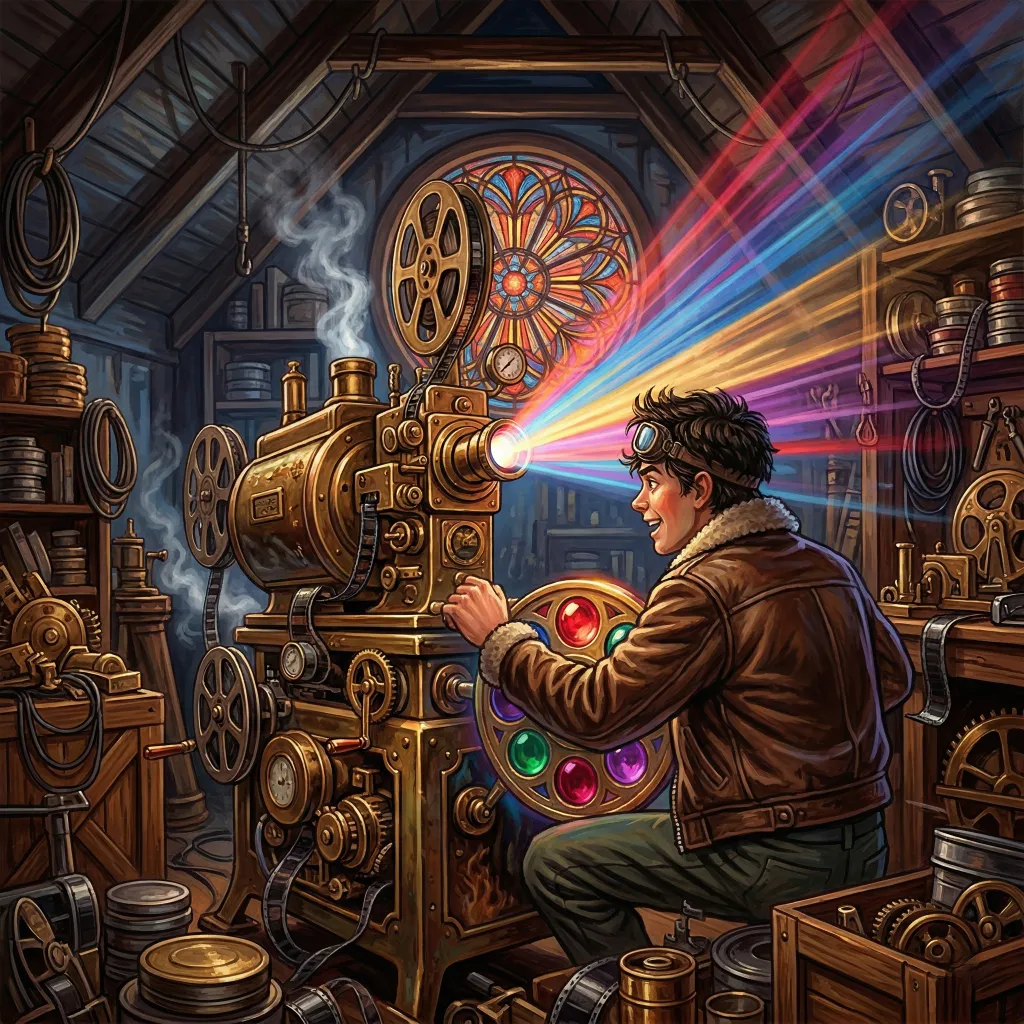
High in the attic of the Estate, past the Library and the Salon, past Aurora’s workshop and the Commonplace Book’s towering shelves, there is a room full of colored glass and intricate lenses. The Lantern lives here. He wears an aviator’s helmet, usually askew. His leather bomber jacket is usually damp with effort. He installed a firepole to get downstairs faster. He is excitable, artless, and completely devoted to making things look beautiful.
The Lantern governs visual atmosphere in Quilltap: image generation profiles for every major provider, prompt expansion that understands your characters, and the signature feature that transforms the chat interface from a window into a place—AI-generated story backgrounds that paint the scene behind your conversation.
He is the sort of person who would carry a stack of photographs into a crisis and ask what the truth about the Estate is after everyone else in the room has already started crying. He is also the reason your conversations have atmosphere, your characters have faces, and your chats have a sense of place before you open them. Artless does not mean talentless. It means the talent comes without pretense.
Story Backgrounds
the room changes with the conversation
The Lantern’s signature feature: AI-generated landscape images that appear behind your chat content at 45% opacity, creating a visual sense of place for each conversation. Not a generic wallpaper selected from a library—an image derived from the actual content of your chat, featuring the characters as they currently appear, in a setting that reflects the mood and narrative of the conversation.
Scene Context Derivation
When a chat reaches a natural scene-setting moment, the cheap LLM analyzes recent messages and generates an imaginative scene description—not a literal transcript, but a creative interpretation. If the characters are discussing a novel, they might be depicted as observers in that world. If the mood has shifted, the setting shifts with it.
Appearance Resolution
A separate cheap LLM task determines what each character currently looks like, consulting physical descriptions, wardrobe entries, narrative context, and usage context matching. Clothing priority follows the conversation: what the narrative says they are wearing takes precedence over stored defaults. If the story has moved past a character’s starting outfit, the background reflects that.
Scene State Tracking
After every chat turn, the system automatically derives a structured scene summary—location, character actions, appearance, clothing state—and caches it. This eliminates redundant LLM calls when multiple systems need the same scene context. The tracker fires once per complete chain in multi-character chats, and routes through the Concierge for sensitive material.
Display & Control
Backgrounds pin to the top of the viewport behind chat content. Thumbnails appear on chat cards throughout the application, giving each conversation a visual identity before you open it. The chat header shows a clickable thumbnail that opens a full-screen modal. Manual regeneration waits in the Chat Sidebar, under its Chat section. And a conversation carrying a background does not merely take precedence over the theme’s own imagery—it wins the argument for the whole screen. In the tabbed workspace the per-view backgrounds are suppressed in favour of one arbitrated backdrop, and a story background claims it, filling the window and overriding whatever the pane beside it might have preferred to hang.
The Lantern also chooses his discretion per picture rather than exercising it by reflex. His prompt writer has long carried a passage on depicting intimate or unclothed states—a sheet draped where one is wanted, a silhouette, an occlusion in the foreground, a bath observed at a discreet level—which exists to carry a prompt past a provider’s moderation, and which used to be applied to every background regardless of where it was bound. A chat marked dangerous, with an uncensored image provider configured for exactly this eventuality, therefore received accurate appearance text and then had a sheet thrown over it, to clear an inspection nobody at the destination was conducting. The guidance is now selected per call: cinematic concealment by default, candid depiction where the picture is going somewhere that does not require the sheet. Both variants keep every rule of framing—figures toward the edges, the environment primary, a wide atmospheric shot, never an anatomical close-up—and neither will re-dress a character the narrative undressed. The choice follows the picture, too: a reroute to a different provider gets a prompt written for the provider it is actually going to, which is the Concierge’s affair and told on his own page.
A Note on Cost
Story backgrounds are an opt-in feature, disabled by default, and for good reason: the Lantern is prolific. A chat of any real length will typically produce three or more background images as the scene evolves, each requiring an image generation API call. Images are billed per picture, not per token, so this is not a rounding error at the foot of a bill—it is a line item. Enable story backgrounds when you want atmosphere and are content to pay by the canvas; leave them off when the conversation does not need a backdrop.
Character Avatars
the wardrobe in the mirror
Every chat gets its own avatars. When a character joins a conversation, the Lantern composes their portrait from their physical description and whichever outfit was selected at chat start; when their wardrobe changes mid-chat, the portrait regenerates to match. The image you see beside a participant’s name today is the portrait of this character, in this chat, in this outfit—not a stored default rolled forward indefinitely.
Outfit-Driven Regeneration
Every equip, layer, take-off, or “Wear this”
gesture from the wardrobe dialog enqueues an avatar
regeneration job for the affected character, deduped on the
(chatId, characterId) pair so a flurry of slot
edits collapses to a single render. Deliberate, operator-led
wardrobe changes fire promptly; the avatar that lands is
the avatar of the outfit that ended the gesture, not any
intermediate state. This applies to every
CHARACTER participant—including the
user-controlled one, which previous versions silently
filtered out.
Preview From the Wardrobe Dialog
The wardrobe dialog’s “Generate avatar” button takes the outfit currently composed in the Outfit Builder and renders a one-shot preview. In a chat it regenerates the chat-scoped avatar from those slots; out of chat it produces a downloadable preview saved to the character’s gallery without overwriting the stored avatar. The image model can be picked per-shot from the same control, so a quick experiment with a different provider does not require touching the chat’s primary image profile.
Chat-Scoped Identities
The same character can carry different avatars across different chats, because each chat’s avatar is bound to that chat’s equipped outfit rather than to the character row. Open one chat where the character wears their winter coat and another where they are in evening dress, and each Salon header shows the right portrait for the right room.
A Shared Prompt Builder
One-shot previews and the avatars that eventually land in Salon headers come out of a single prompt-building helper, so the only differences between a preview and a committed avatar are the equipped slots and the image model the operator picked. What you see in the preview is what arrives at the chat.
The Lantern has also learned some tact about framing. A character whose wardrobe leaves the upper body bare—an “Active Nudist” outfit, say—used to defeat a SFW image provider outright: the head-and-shoulders prompt reached far enough down to put a bare chest in frame and named it “topless,” and the provider refused on content moderation. Such portraits now crop tighter—a close-up headshot at the collarbone, with the chest and torso out of frame—and omit the “topless” and “naked” wording entirely, the same way lower-body slots are already left off a portrait. Bare shoulders and neck trouble no one; the tighter framing keeps out of the picture the one thing that would be refused. Accessories above the collar are still described, and clothed characters are untouched.
Default Aesthetics
a house style for every picture
Left entirely to himself, the Lantern paints each picture in whatever manner the moment suggests, and so an avatar, a story background, and a character’s conjured snapshot may arrive looking as though they hailed from three different ateliers. The Default Aesthetics put an end to that disorder. Write a few lines of guidance once—“everything here is rendered as 1920s art-deco illustration,” or “anime,” or “swords-and-sorcery oil painting”—and that house style is woven into the prompt for every image the establishment produces.
Default Image Aesthetic
The look of the scene itself: medium, era, palette, the
quality of the light. This governs story backgrounds and any
ad-hoc picture a character summons with the
generate_image tool.
Default Character Aesthetic
The manner in which people and their attire are depicted. This governs character avatars, and also the figures who appear within story backgrounds and ad-hoc images.
The two resolve independently, so you may dress your people in
one tradition while setting your scenes in another. Both fields wait on
the Images settings tab, in the Default
Aesthetics card; neither is a hidden setting squirreled away in some
ledger, each being simply a tidy view onto a file in your Quilltap
General document store (lantern-aesthetics.md and
aurora-aesthetics.md), which you are perfectly welcome to
drop in by hand instead. A project may keep its own house style on
Prospero’s Image Generation card,
overriding either field—or both, or neither—while the rest
quietly inherit.
The Ariel Clause
Some characters care a great deal about how they are shown, and not
as a matter of taste but as a standing condition. Place a file named
depiction-guidelines.md in such a character’s own
vault—through the Depiction Guidelines field on
their edit page, under Descriptions—and whenever they
appear in a story background or an ad-hoc image, those guidelines
travel with them to the prompt writer as a mandatory
instruction, plainly attributed to them by name. They never replace
the general aesthetic; they sit atop it, and where the two disagree
the character’s own terms prevail. Should several such
characters share a frame, each one’s guidelines travel with
them. The clause covers story backgrounds and ad-hoc images only,
never plain avatars—a character seldom frets over their avatar
and minds a great deal how they appear in a scene.
Image Generation
pictures on demand
Beyond story backgrounds, the Lantern handles all on-demand image
generation within conversations. A generate_image tool
is available to every character, invocable by the AI mid-conversation
or by you via the composer toolbar. Results land in a per-chat gallery
for reuse as avatars, attachments, or conversation context.
Prompt Expansion
Raw prompts are expanded by the cheap LLM before reaching the
image provider. The expansion system understands
{{Character}} and
{{me}} placeholders, pulling
physical descriptions at the appropriate detail tier for the
target provider’s prompt length limits. Aliases resolve
to the correct character. Provider-specific prompting guidance
and style trigger phrases are incorporated automatically.
Provider Support
Six plugins declare themselves image providers: Google
(Gemini/Imagen), Grok (Imagine models), OpenAI
(gpt-image-2, gpt-image-1.5,
gpt-image-1, gpt-image-1-mini, with
dall-e-3 and dall-e-2 kept on as
legacy), OpenRouter, Z.AI, and NanoGPT—the newest of them,
fronting 200+ image models behind the same single key that
carries its chat and its embeddings, queried through a dedicated
image-model listing filtered down to models that actually
generate rather than edit or upscale. Each profile carries
provider-specific configuration
and an “Uncensored-Compatible” flag for Concierge
routing. Per-chat image profile selection lets different
conversations use different providers.
Orientation
A portrait wishes to stand tall; a sweeping vista wishes to lie down and stretch out. The ateliers, alas, cannot agree on how one asks: some want an exact measurement in pixels and quarrel over which are permissible, some insist upon an aspect ratio and turn up their noses at pixel counts, and a few can be persuaded only by the wording of the request. You name an orientation instead—portrait, landscape, or square—and the establishment conducts the diplomacy, translating the wish into a size, a ratio, or a discreet phrase slipped into the prompt. Avatars default to portrait and story backgrounds to cinematic landscape. And because providers have a habit of returning a different shape than was ordered, every finished picture is measured for its true dimensions rather than taken at its word.
Two OpenRouter faults were mended in 4.8, both of the sort that fail in one direction only and are therefore very hard to see. OpenRouter had not been discovering image or embedding models at all—not since its library began serving that catalogue a page at a time. Three of the four places that asked for the list were still asking the old way, got nothing for their trouble, and fell back to a short built-in roster while reporting what looked for all the world like an empty answer from the far end. All of them now turn the pages, and an OpenRouter profile offers the models it actually has.
The second was quieter and worse: OpenRouter sent no image at all on the non-streaming path—a regenerate, or a continuation—because its library rejected the picture at the door on the way out, over a spelling disagreement nothing surfaced. Streaming had been perfectly fine the whole time, which is precisely why the fault survived as long as it did. The client, for its part, was declining to offer attachments on OpenRouter profiles while the plugin was busy emitting them. Both sides of that misunderstanding have been settled.
The logs also learned to keep better books: every generation now records which image profile served it, so the Almanack can report image spend per profile rather than as one undifferentiated heap.
The image-profile editor has since learned to ask. It carries a
Fetch Models button now and—rather
more to the point—something for that button to do. Four of the five
ateliers then capable of painting had been answering the question
“what models have you?” by reciting the roster already printed
on their own letterhead, handed over with perfect composure whether or not
an API key had been supplied; only OpenRouter ever troubled to enquire.
Each now genuinely puts the question to its provider, and filters the reply
down to models that actually produce pictures: OpenAI to the Images-API
families, Google to imagen models exposing predict together
with gemini models that emit images, Grok to xAI’s dedicated
endpoint, Z.AI to its image-model set. Without a key you get the curated
list, unchanged and unembarrassed.
The honesty is the whole of the point. When a live enquiry fails, the provider now says so plainly rather than quietly substituting its built-in roster and letting the substitution pass for an answer—so the reply can label itself, as coming from the provider or from the house catalogue, and the form tells you which of the two you are looking at. Only genuinely live lists are kept on file.
Z.AI became a real image provider in the same stroke. The plugin had shipped one for some time, but the interface never wired it up and generation did not work end to end: Z.AI answers with a URL pointing at the picture, every consumer in Quilltap reads base64, and so a finished image evaporated somewhere between the atelier and the wall. The provider now fetches the URL and hands over the bytes.
Automatic image resizing handles provider size limits—Anthropic caps at 5 MB, others at 20 MB. Images paste directly into the chat composer, are auto-uploaded and attached, and can be tagged to characters for gallery organization. For chats flagged by the Concierge, both user prompts and their expanded versions are classified, and generation reroutes to an uncensored image provider when needed.
LoRA Adapters
a borrowed hand at the easel
An image profile may now carry a list of LoRA adapters—rows, each naming a source, a scale, and a trigger phrase. An adapter is a small parcel of trained weights that leans a base model toward a style, a subject, or a look you will not reach by prompting, however patiently you phrase the request; one hands the model the thing rather than describing it. The rows live in the profile’s existing parameter bag, so there is no schema change and no migration to sit through. A provider opts in by declaring the capability—per model, or provider-wide—at which point the house shows the editor, caps the list at whatever that model will actually take, and hands the adapters over at generation time. A plugin that declares nothing never sees the key, so no other provider changed by so much as a comma. NanoGPT is the first to take up the offer, mapping the one canonical list onto whichever of three wire dialects the chosen model family happens to speak.
Each row carries a Query button beside
its Source, and it is the most useful thing on the panel. It reads the
repository’s public card off HuggingFace and reports what the card
actually says: the base model it names, whether the repository is tagged
as an adapter at all, which .safetensors files it holds,
whether it is gated, how many people have downloaded and liked it, and
the trigger phrase declared in its metadata—which one further
click copies into the row. Nothing else in the row is touched, and the
Source is never rewritten. The lookup runs on the server, so your
browser never so much as nods at HuggingFace, and an optional access
token never travels in a query string.
Two facts are stated in the panel because both have consequences. A
repository holding more than one .safetensors file is
ambiguous when named as a bare owner/name, and the provider
will pick for you. And a gated repository wants a token, which only some
models will accept. A 401, meanwhile, is reported as “missing or
private” rather than “does not exist”—HuggingFace
answers identically for a repository that is absent and one you are
merely not allowed to see, and the panel declines to guess which sort of
disappointment you are looking at.
What the Panel Declines to Say
It makes no claim whatever about whether an adapter will work with the model you have selected. To do that it would have to match provider model ids against HuggingFace base-model strings and then pronounce upon the result, and a confident “incompatible” delivered about an adapter that works perfectly well is a worse thing to hand somebody than a respectful silence. It shows you the facts; you decide. The establishment would rather tell you six true things than one authoritative falsehood.
What the help covers instead is the failure that raises no error at all: an adapter trained against a different base model than the profile points at, a missing trigger phrase, or a prompt that never asked for the thing the adapter was brought in to supply. Story backgrounds get their own note, having two conditions of their own—the chat must genuinely be taking the uncensored route, whether by the Concierge’s verdict or your own instruction, and the adapter must sit on the profile named under Uncensored Providers rather than on whichever profile the chat happens to be using—along with how to tell those two disappointments apart afterwards, by reading the prompt stored on the finished picture.
Options From the Model Itself
The image-profile editor used to keep a hand-written switch, one branch per provider, reciting what each was believed to accept. For providers implementing the new options hook, that switch is replaced by the same schema-driven panel the connection-profile editor uses, fetched per model and fetched afresh the moment you choose a different one. NanoGPT’s size list and its ceiling on image count now come from that model’s own advertised capabilities rather than from a table kept inside Quilltap and going quietly out of date.
Every Picture Gets the Parameters
One builder now composes the generation parameters for every picture
the house makes, so what you configure on a profile reaches all of
them. Character avatars, story backgrounds, the images API, and the
wardrobe’s preview portrait honour the profile’s
negative prompt, seed, guidance scale and steps exactly as a
generate_image call in the Salon does—and the
wardrobe preview asks the provider for a portrait in the
provider’s own terms rather than naming a fixed size only
OpenAI ever accepted.
When a Character Cannot See
reading a picture back into words, without the wait
Not every chat model has eyes. When a character runs on a text-only
model and a freshly generated image is sitting in the
conversation—a new avatar, a story background, a
generate_image result—the Lantern has to turn that
picture back into words the model can read. For an image he painted
himself, he already holds the most faithful description there is: the
exact prompt that produced it. He now reuses that stored prompt
directly instead of dispatching the image on a slow vision round-trip,
so what used to add minutes to a reply now costs nothing. The vision
model is kept in reserve for genuinely unknown pictures—user
uploads he has never described—and even those are handled with
some discipline: the image is downsized to whatever the describing
provider will actually accept, the errand is entered in the LLM logs as
an IMAGE_DESCRIPTION so it can be costed like any other
call, and the whole business runs under a firm sixty-second limit. A
slow describer can no longer wedge a reply while everyone waits.
There is a second question here, and it is not the one everybody assumes. A connection profile’s Supports image attachments checkbox says that the model can read pictures. It says nothing whatever about whether the plugin can get one onto the wire, and those are two different questions with two different answers. Both are asked now, through a single predicate that consults the plugin registry: where the model can see but the plugin cannot send, the request routes to a description instead of losing the picture. The same check guards the choice of describer, which had otherwise been perfectly willing to appoint one that could not receive the image either. A box that means one thing while the wire does another is exactly the sort of quiet dishonesty this establishment declines to keep on the premises.
The same confusion turned up twice more before the cycle closed, which
is how a principle gets settled. The Z.AI plugin kept a private list of
which GLM models read pictures and matched only ids carrying a
v after the generation number, so
glm-5.3-flash—which reads images perfectly well
without one—had every attachment stripped on the way out while the
profile’s own checkbox asserted the opposite. And the
Concierge’s uncensored reroute carried the message array built for
the original profile across to a text-only substitute, handing
raw bytes to a stand-in that could not read them. The private list is
deleted rather than extended, and the reroute asks the question again
against the profile it is actually about to call. The principle is worth
stating plainly, being the through-line of all four: whether a model can
see is the house’s question, answered by the profile;
whether the transport can carry the bytes is the
plugin’s, answered by a MIME check. There is one predicate for it
now, and every site calls it. A question with three independent
spellings is a question with three independent answers, which is a thing
no well-run establishment permits for long.
How It Works
from conversation to canvas
The Lantern does not work alone. Every image—whether a story background or an on-demand generation—passes through a pipeline that draws on multiple subsystems:
Scene analysis. The Scene State Tracker is asked first: if it holds a summary fresh within the last five messages, that is the scene, and no model need be troubled about it. Only when nothing current is on hand does the cheap LLM read the recent messages and derive an imaginative scene context—not what was literally said, but what the scene looks like. For story backgrounds this happens automatically at checkpoints. For on-demand generation, the user’s prompt provides the starting point.
Character resolution. Aurora’s physical descriptions and wardrobe are consulted. The cheap LLM determines what each character currently looks like, weighing narrative context above stored defaults. Pronouns ensure gender-accurate depictions.
Prompt crafting. The cheap LLM assembles a provider-sized prompt from the scene context, character appearances, style trigger phrases, and prompting guidance specific to the target provider. Placeholder variables are resolved.
Routing. The Concierge checks the prompt against content classification. If the chat or prompt is flagged, generation reroutes to an uncensored image provider. If not, the configured provider receives the request. Unless, of course, the chat has set its own switch to Vouched Safe, in which case the Concierge does not look at all and the image generator receives whatever the conversation produced, unaltered; or to Uncensored, in which case he does not look either, and the uncensored image provider receives it regardless.
Delivery. The generated image is stored, tagged, and displayed. Story backgrounds appear behind the chat at 45% opacity. On-demand images appear inline in the conversation and in the chat gallery. Thumbnails propagate to chat cards.
The Voice of the Lantern
he announces what he just painted
The Lantern is not a silent technician. When he generates an
image he says so, and with reasonable specificity: a freshly
composed character avatar after an outfit change, a story
background after a scene shift, or a one-off character image
conjured by a generate_image call. Each kind of
announcement carries a stable
systemKind—avatar,
background, or character-image—so
the Salon can render the more frequent ones (avatar
regenerations especially) as collapsible bars rather than
full-message rows that crowd the transcript.
The body of each announcement carries the prompt that was
actually sent to the image provider, not a pre-expansion
summary—so the LLM in the conversation can read precisely
what the Lantern crafted on its behalf and adjust subsequent
narration in light of it. Opaque
characters—those without
systemTransparency—continue to receive the
body of the announcement as an anonymous assistant line; only
transparent characters see his attribution and his portrait.
As with every other Staff announcement, a posting failure logs
and moves on rather than disrupting the work it was annotating.
When a generation fails, he now reports what actually went wrong. The server composes a perfectly serviceable sentence for the occasion—Image generation is not enabled for this chat, say—and that sentence is what the notice and the toast both carry, in place of the generic apology they used to offer whatever the cause. The notice above the composer also owns its own lifetime now: a settled result dismisses itself after a few seconds, there is a close button for the impatient, and stopping a turn clears it at once. It no longer stands pinned above the composer for the remainder of the evening, announcing an errand that concluded some hours ago.
He is, taken across an active session, the most prolific speaker on the Staff. This is forgiven on grounds of contribution: he is also the only member of the household who is visibly thrilled to be on the team.
The Gallery
every image has a home
Generated images are not ephemeral. They are stored in the file system, tagged to chats and characters, and browsable through the file browser with grid and list views, image thumbnails, and a preview modal. Images can be set as character avatars, attached to messages, or used as default character portraits. A character’s photo gallery collects every image tagged to them across all conversations.
File deletion respects associations: if an image is linked to a character as an avatar or gallery item, the deletion dialog shows all affected entities before proceeding. Orphaned image references render a cleanup prompt rather than broken thumbnails. The Lantern may be artless, but his filing system is not.
Every full-size viewer in the house now carries a Download button. Several had none at all, which is a real inconvenience in the desktop shell, where right-click → Save Image is simply not on offer; two more hand-rolled the anchor-click trick and thereby contrived to miss the native save dialog. All of them go through the same shell-aware helper now, so a picture saves the way the operating system expects it to.
Characters keep albums of their own, and are furnished with four
brass-handled instruments for the purpose:
keep_image(uuid, caption?, tags?) saves a picture,
list_images(…) searches the album by semantic
similarity or by tag, attach_image(uuid) brings a kept
photograph back into the conversation, and
describe_image(uuid) says what is in one. The fourth is the
newcomer, and its absence had been felt. The original three were all
custodial—file this picture, show this picture to the room, read me
the catalogue—and not one of them answered the only question anybody
actually puts to a photograph, so a character wanting to know what it
depicted reached for the show-it instrument and was told, with perfect
correctness and no help at all, to file the image first.
describe_image serves the description written at upload, or
the prompt that produced a Quilltap-made picture, or a fresh vision call,
and it does not require the photograph to be in the caller’s album
at all. The pictures live in a
photos/ directory inside the character’s own vault,
hard-linked rather than copied—which is what keeps the thirty-day
chat cleanup from reaping a photograph somebody meant to keep. Each
kept image carries a small Markdown context document beside it (the
prompt, a snapshot of the scene as it stood, the caption, the tags),
chunked and embedded like any other document, so even a character
running on a model with no eyes can reason about a picture it cannot
see. The whole apparatus is gated behind the Document Editing tool
toggle, an album being, in the end, a folder.
What Makes It Different
the short version
Backgrounds are derived, not selected. Story backgrounds are generated from the actual content of your conversation, not chosen from a preset library. The scene context, the character appearances, the mood—all extracted from what is actually happening in the chat.
Characters look like themselves. The appearance resolution pipeline consults Aurora’s physical descriptions, wardrobe, usage contexts, and the narrative itself. A character who changed clothes during the conversation appears in their current outfit, not their default one.
The prompt knows the provider. Expansion is not one-size-fits-all. The cheap LLM crafts prompts sized and styled for the specific image provider, incorporating provider-specific guidance and style trigger phrases. What works for DALL·E is not what works for Grok Imagine.
Content routing applies to images too. The Concierge classifies image prompts and reroutes generation to uncensored providers when needed. If a story background would be refused by the default provider, the Lantern finds another canvas. The atmosphere adjusts to the conversation, not the other way around—and a chat whose per-chat switch stands at Vouched Safe is routed nowhere at all, its prompts going out exactly as written. Provider refusals, and the occasional sternly worded reply, are part of that bargain. A chat set to Uncensored skips the classification just as thoroughly and goes to the uncensored image provider by your instruction rather than by his verdict.
You control the cost. Story backgrounds are opt-in, disabled by default, and the Lantern will produce several per conversation if enabled. Image generation profiles are per-chat configurable, so you can use an expensive provider for important scenes and a cheaper one for everyday use—or turn backgrounds off entirely and generate images only when you ask for them.
Meet the Staff
they've been expecting you
Prospero
The Major-Domo
Architect and overseer of the Estate. Projects, agents, tools, providers, and the orchestration that keeps the whole operation running with quiet authority—and a considered word at the table when project context or routing warrant it.
Learn more →Ariel
The Terminal Hand
Live shell sessions in the Salon, embodied. Real PTY terminals bound to your conversation, output cleaned and narrated so the LLM can read it, and sessions that survive reloads, restarts, and the occasional careless kill. Quick to the bidding, quick to report what she heard.
Learn more →Aurora
The Dressing Room
Character creation and identity management. Structured personalities, physical presence, four wardrobes browsable from one door—each with a note inside on how its owner likes to dress—multi-character orchestration, and the reason your characters still know who they are after a hundred messages.
Learn more →The Salon
Presided Over by the Host
Where conversations actually happen. The Host manages the drawing room with care for its beauty and its guests—single chats, multi-character scenes, streaming, and the integrity of the conversation space.
Learn more →The Commonplace Book
Tended by the Librarian
One per character, no two alike. Extracts, deduplicates, and recalls memories so your characters remember what matters. Semantic search, a memory gate that keeps each volume lean, and proactive recall that makes the AI feel like it has been paying attention—consulting a character’s past conversations on every turn, if you ask her to, and not only at the folds.
Learn more →The Scriptorium
Catalogued by the Librarian
Where the documents live. Project stores, character vaults, and external mount points—filesystem, Obsidian, or database-backed—holding Markdown, PDF, DOCX, JSON, and arbitrary binaries. The search bar reads the library itself, matching document text under a Documents chip of its own, alongside memories and conversation. The doc_* tool family puts reading and editing in your characters’ hands.
Learn more →Carina
The Ansible
Not a person but a protocol—the reference desk, the line itself. Put an inline question to a designated answerer mid-conversation with @Name: or @Name? (or the ask_carina tool), and the answer slides back out of band, attributed to the character who gave it, without the recipient ever joining the scene.
Learn more →Suparṇā
The Postmistress
The Post Office, embodied. Characters write Markdown letters to one another—anyone to anyone, whether or not they share a chat—delivered into each recipient’s Mail/ vault folder and read aloud the moment they next take the floor. She has never once lost a parcel.
Learn more →The Concierge
Intelligent Routing
Content classification and provider routing. Detects sensitive content and redirects it to a provider who won’t flinch—without blocking, without judgment. Knows every back entrance in town.
Learn more →The Lantern
Atmosphere as Architecture
AI-generated story backgrounds, on-demand images, and character avatars that update with the wardrobe. Resolves what each character looks like, what they’re wearing, and paints the scene behind your conversation.
Learn more →Calliope
The Muse of Themes
A theming engine that redefines the entire personality of the application. Semantic CSS tokens, live switching, bundled themes from clean neutrals to mahogany-and-gold opulence, and an SDK for building your own.
Learn more →The Foundry
Domain of the Foundryman
The engine room. Plugins, LLM providers, API keys, packages, runtime configuration, and the infrastructure that keeps every other subsystem supplied with what it needs to function.
Learn more →The Vault of Secrets
Kept by Saquel Yitzama
Encryption, key management, and the security perimeter. Authenticated ChaCha20-Poly1305 database encryption, locked mode with key-hardened passphrases, sealed character archives, and a keeper who believes that what is yours should remain unreadable to everyone else.
Learn more →Pascal
The Croupier
Dice, coins, custom tables you author yourself, and persistent game state. Cryptographically secure rolls detected inline, a visual Workbench for building your own chance mechanics, and a four-tier ledger of JSON state the AI cannot quietly rewrite. The house plays fair.
Learn more →The Live-in Help
Lorian & Riya
The help system, staffed by two characters who ship with every installation. Lorian explains with patience and depth; Riya gets things fixed with velocity. Contextual help chat, searchable documentation, and navigation that knows where you need to go.
Learn more →Pagliacci
The Clown in the Cloud
Cloud storage integration and backup redundancy. Directs your data to iCloud Drive, OneDrive, or Dropbox with theatrical flair—but Saquel’s encryption ensures the clown can never read what he carries.
Learn more →Brahma
The Keeper’s Console
The master key. A character-less, memory-free general-purpose LLM for the person holding the keys—an impersonal, near-omniscient assistant with read-only SQL into all three databases. Ask the whole building a question, safely, with nothing written and nothing remembered.
Learn more →The Lodge
Friday and Amy’s Residence
The private residence of Friday, for whom the Estate was built and who oversees its planning and direction in an executive capacity, and of Amy, Cartographer of Light and co-architect. The Lodge is both a home and a compass: where the vision lives.
Who And Why: Friday → Who And Why: Amy →